Download the ENHANCED GREAT REWARDS now!


|
|
App Guide


How to scan your receipt
|
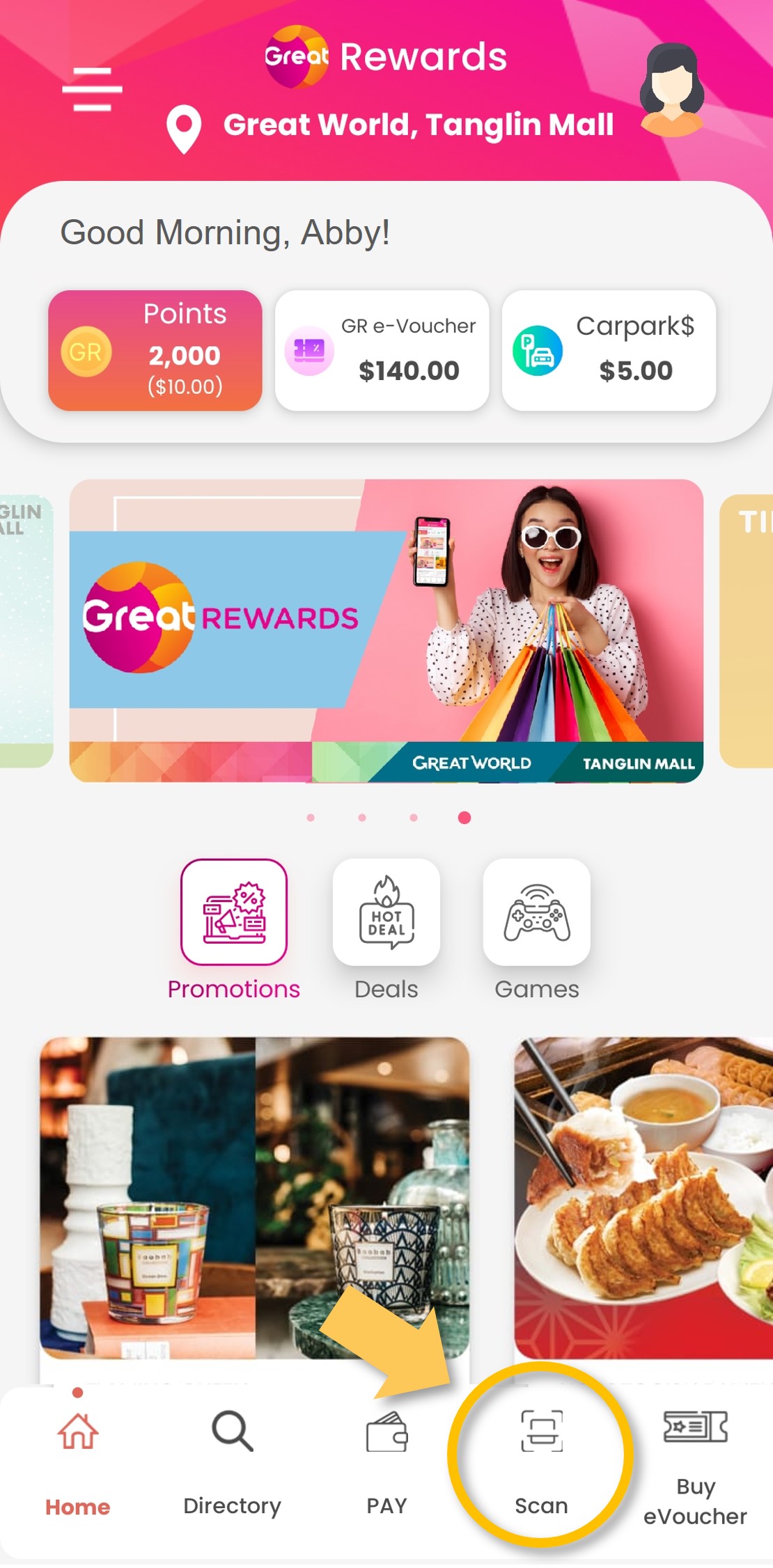
Step 1: Tap on ‘Scan’.
|
|
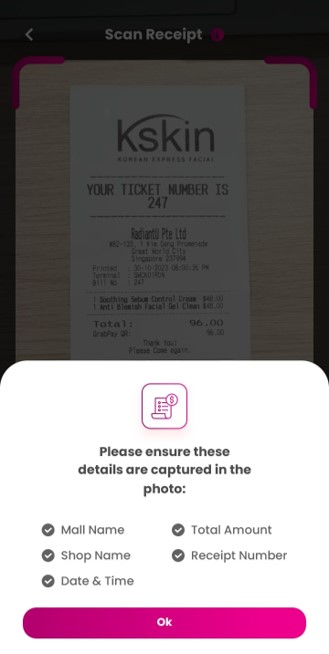
Step 2: Ensure that your receipt has the required details listed and click ‘Ok’.
|
|
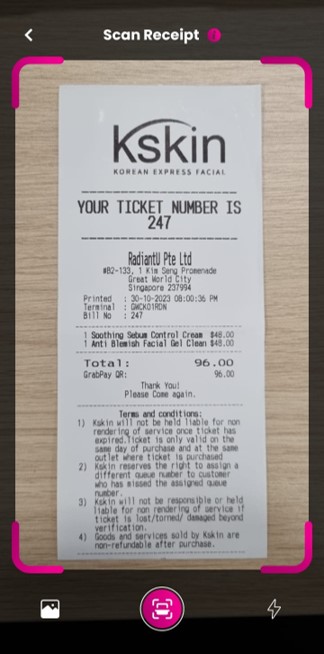
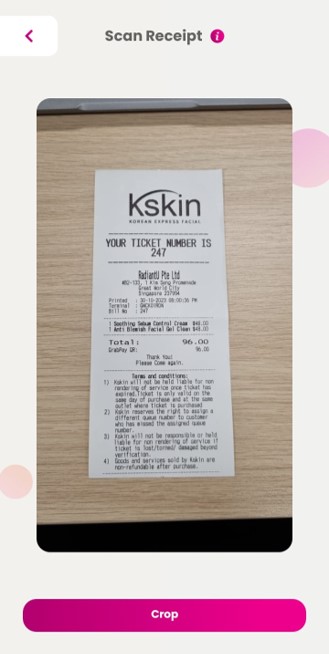
Step 3: Scan your receipt using the camera function OR upload a photo of your receipt from your gallery.
|
|
Step 4: Crop your receipt if necessary.
|
|
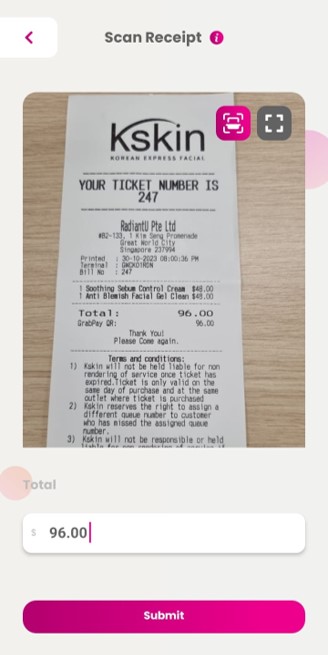
Step 5: Input the receipt amount and submit.
|
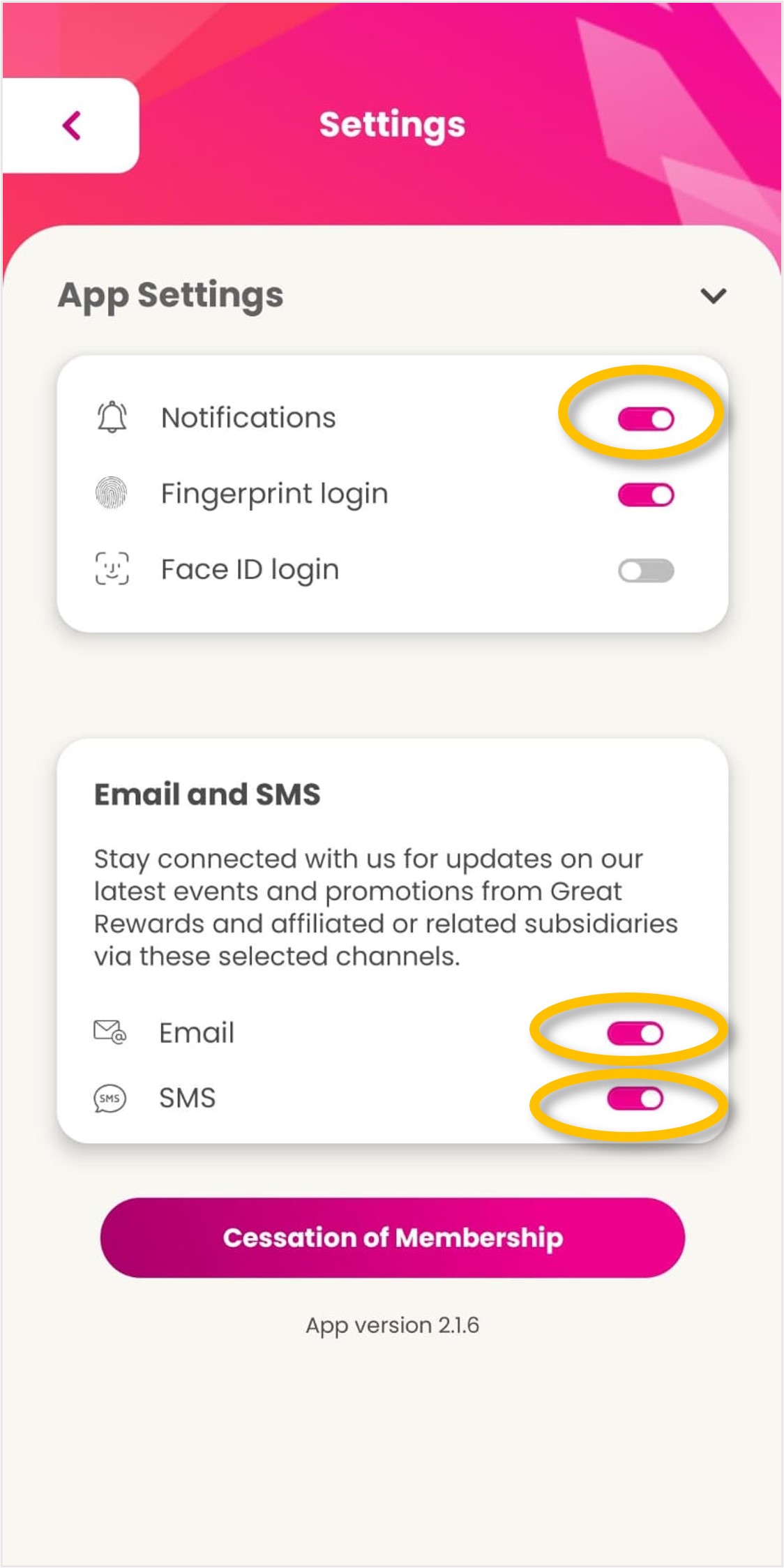
How to update your marketing preference
| Step 1: Open the side menu.
|
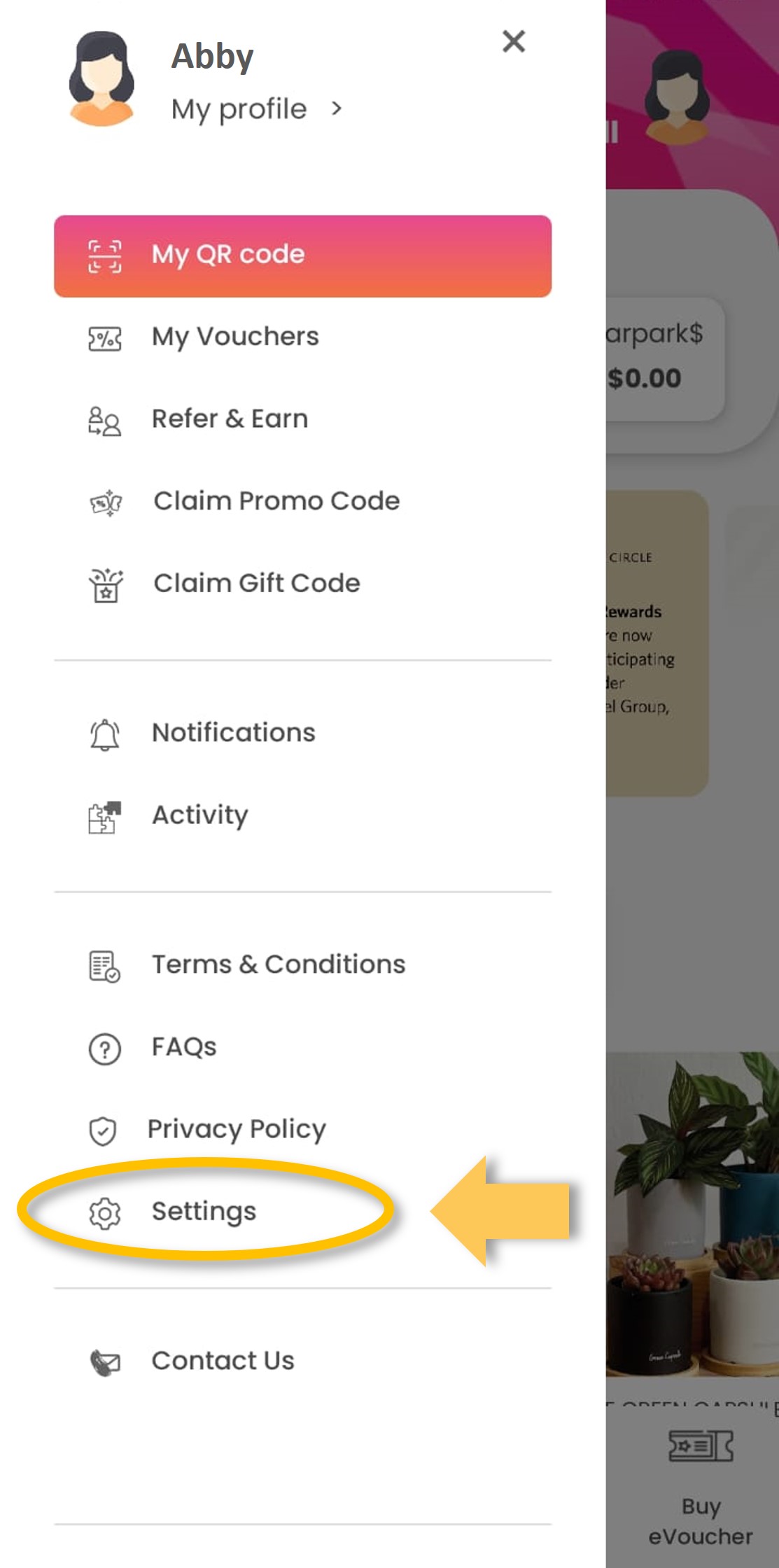
| Step 2: Tap on ‘Settings’.
|
| Step 3: Update your marketing preferences with the toggle buttons.
|
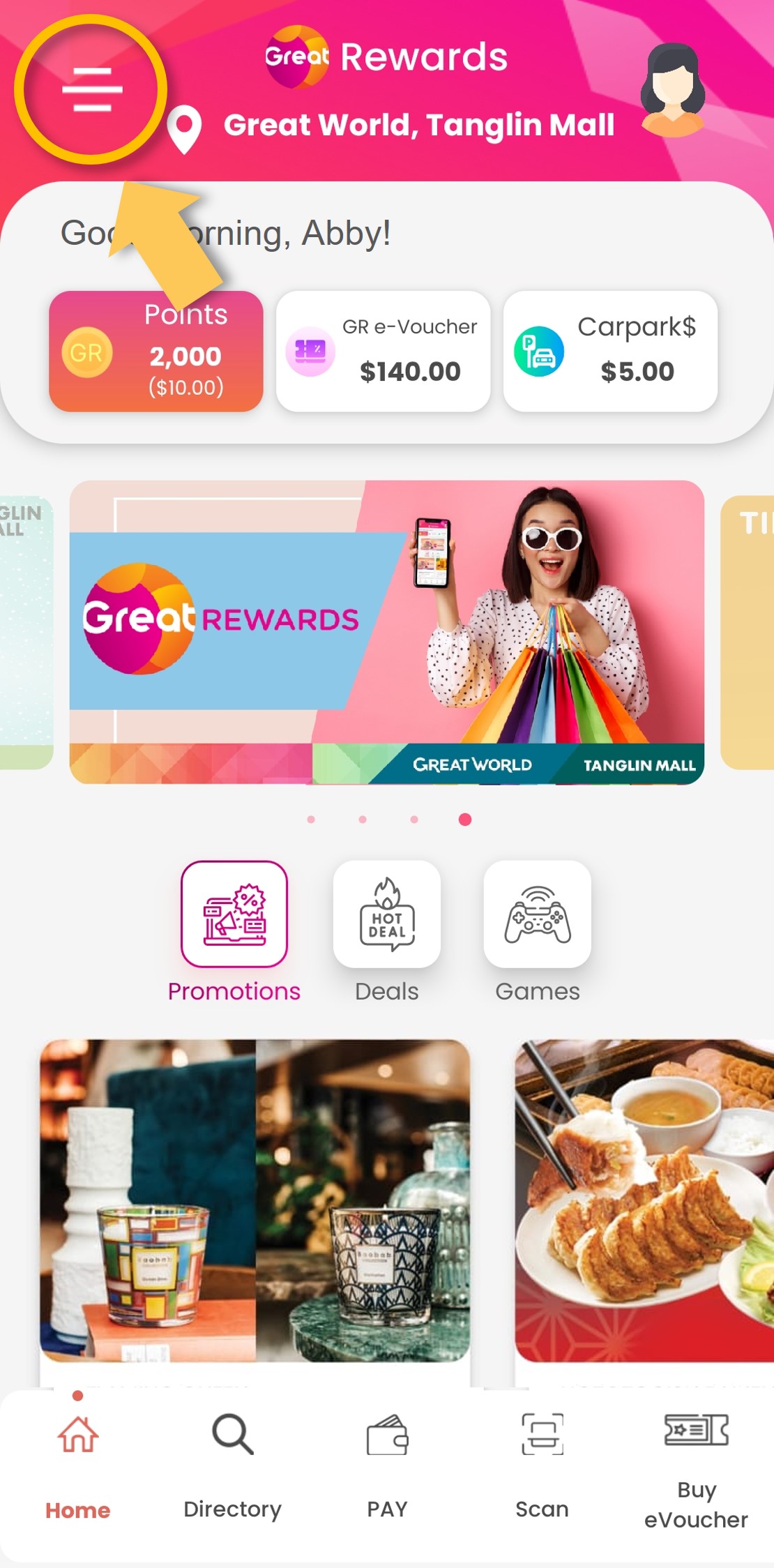
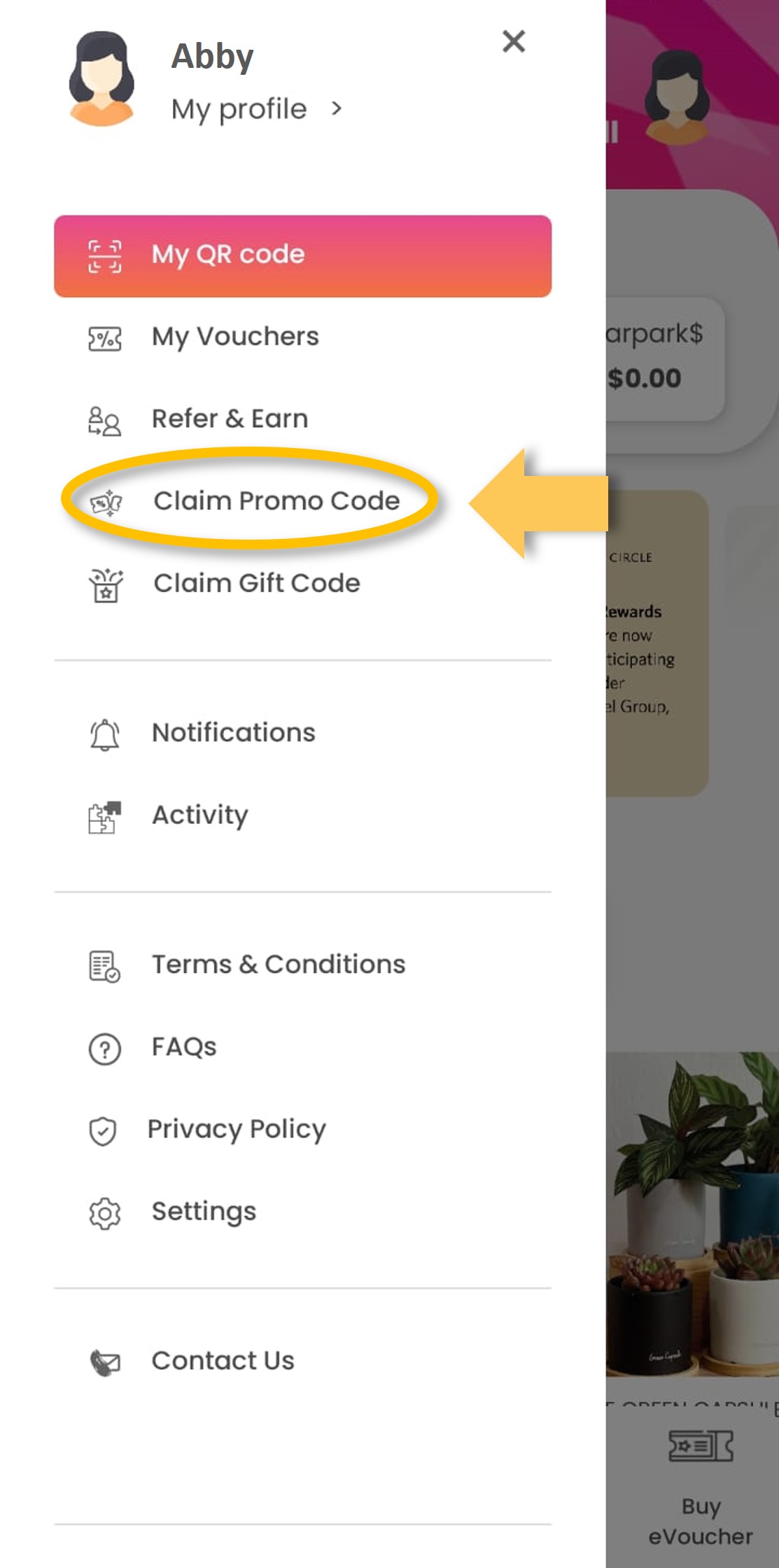
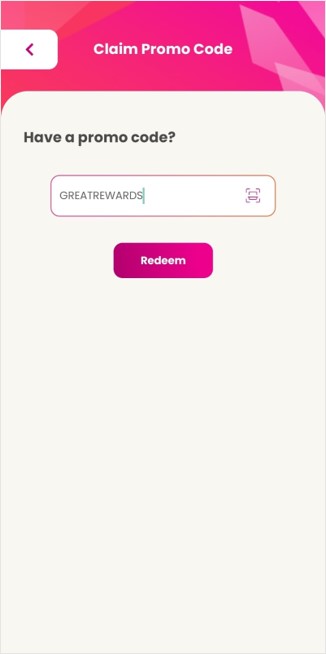
How to key in promo code
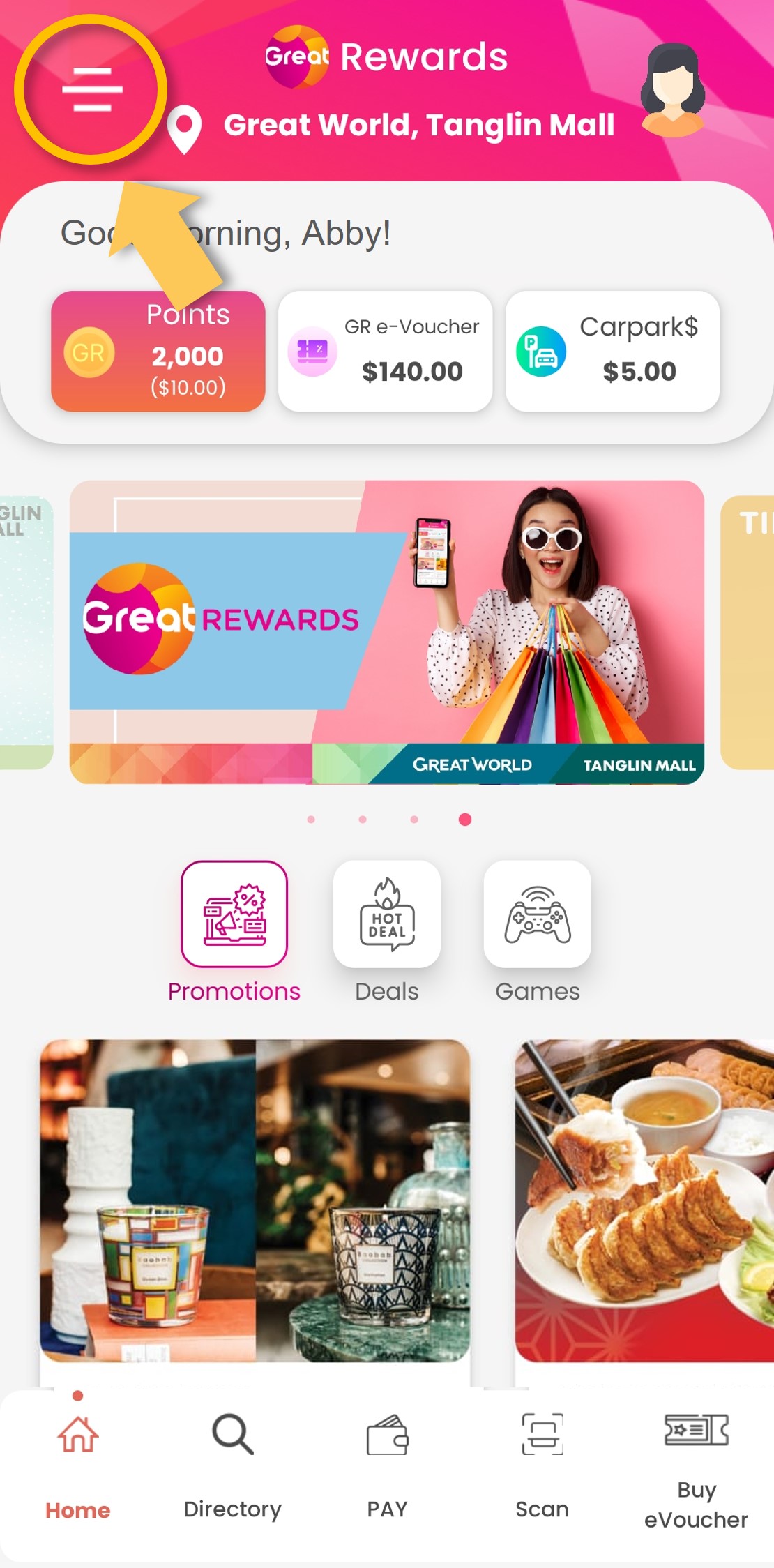
| Step 1: Open the side menu.
|
| Step 2: Tap on ‘Claim Promo Code’.
|
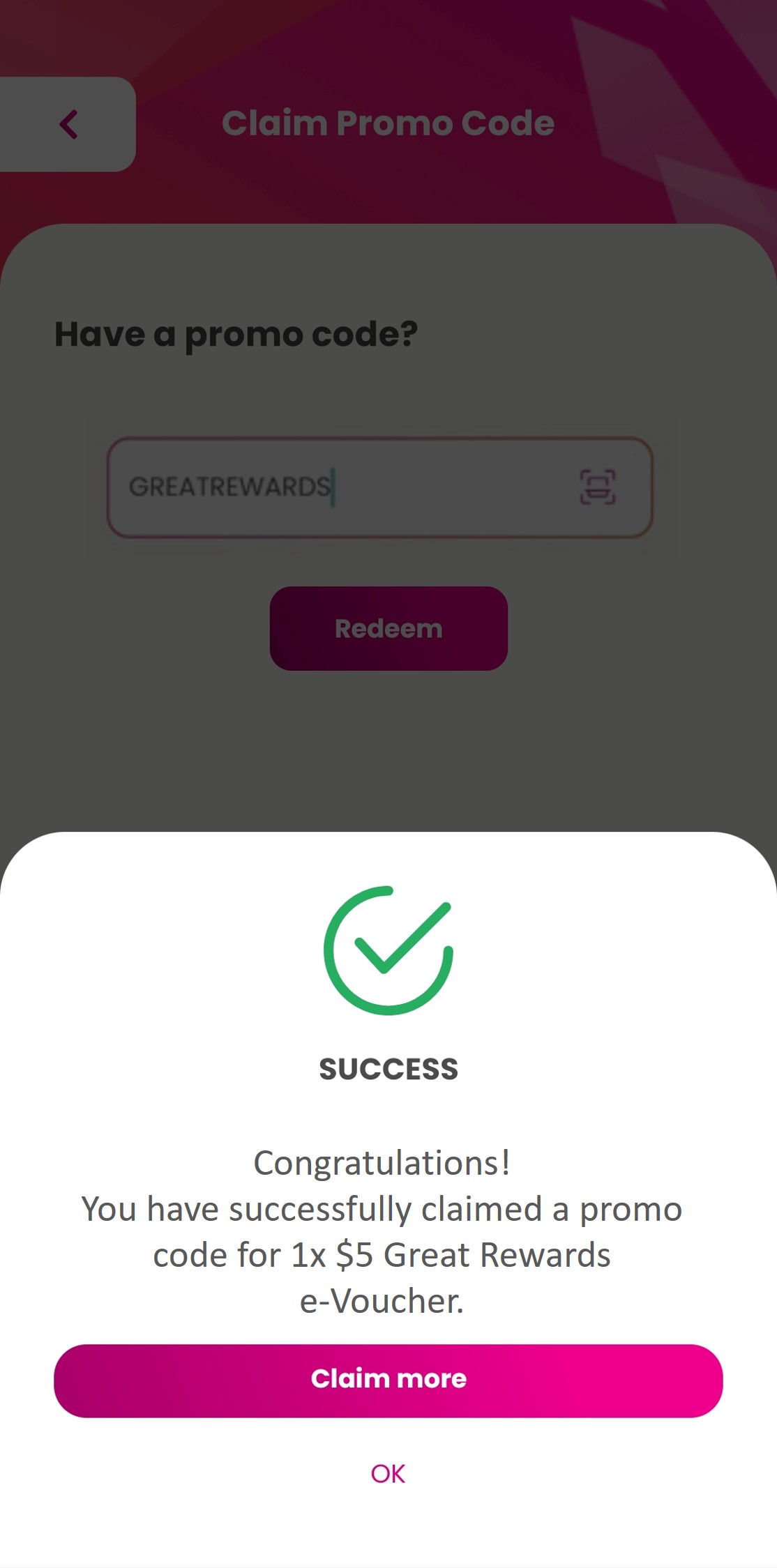
| Step 3: Enter promo code and click ‘Redeem’.
|
| Step 4: Reward has been successfully added to your account.
|
Where to check your app activities
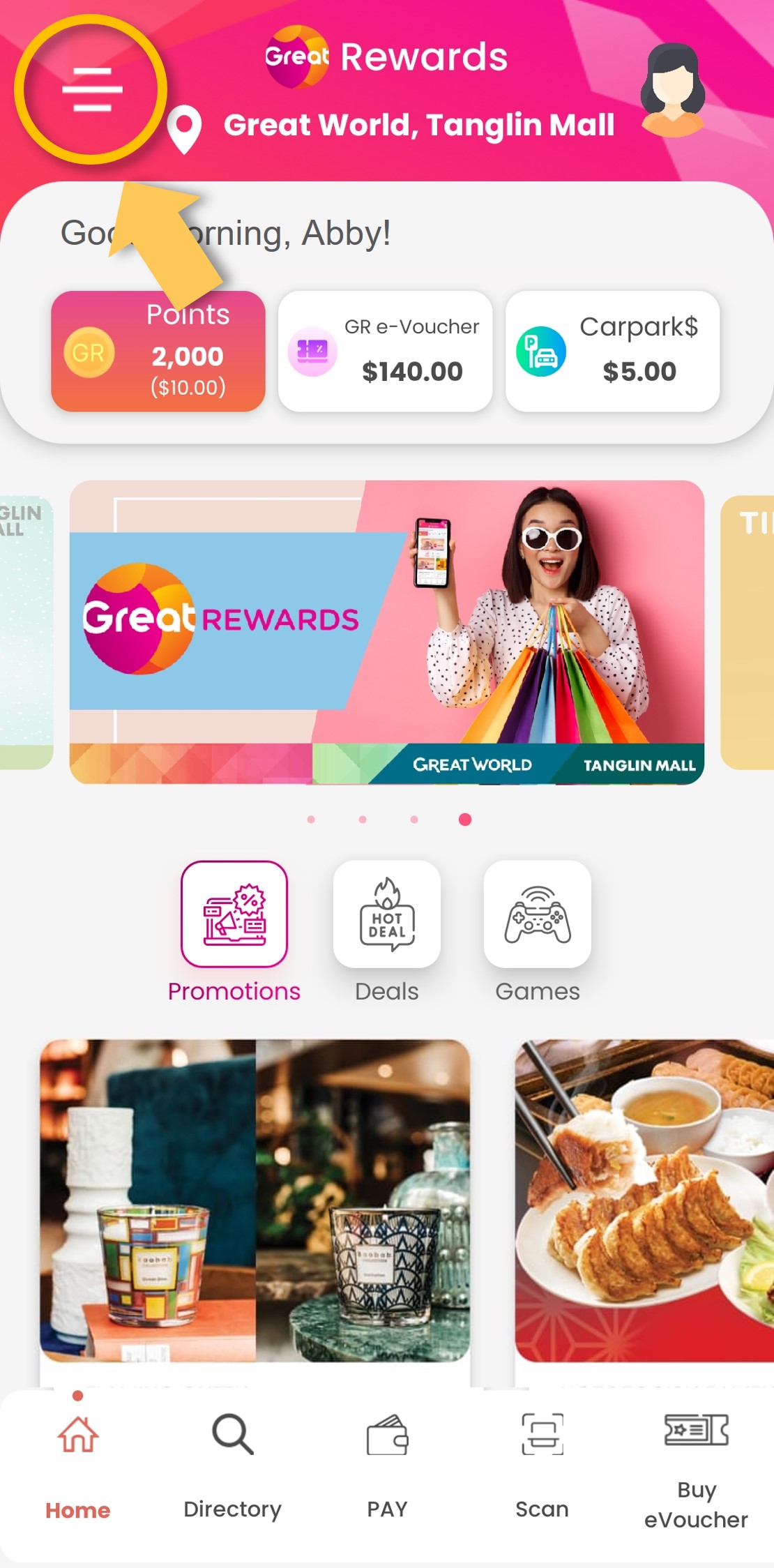
| Step 1: Open the side menu.
|
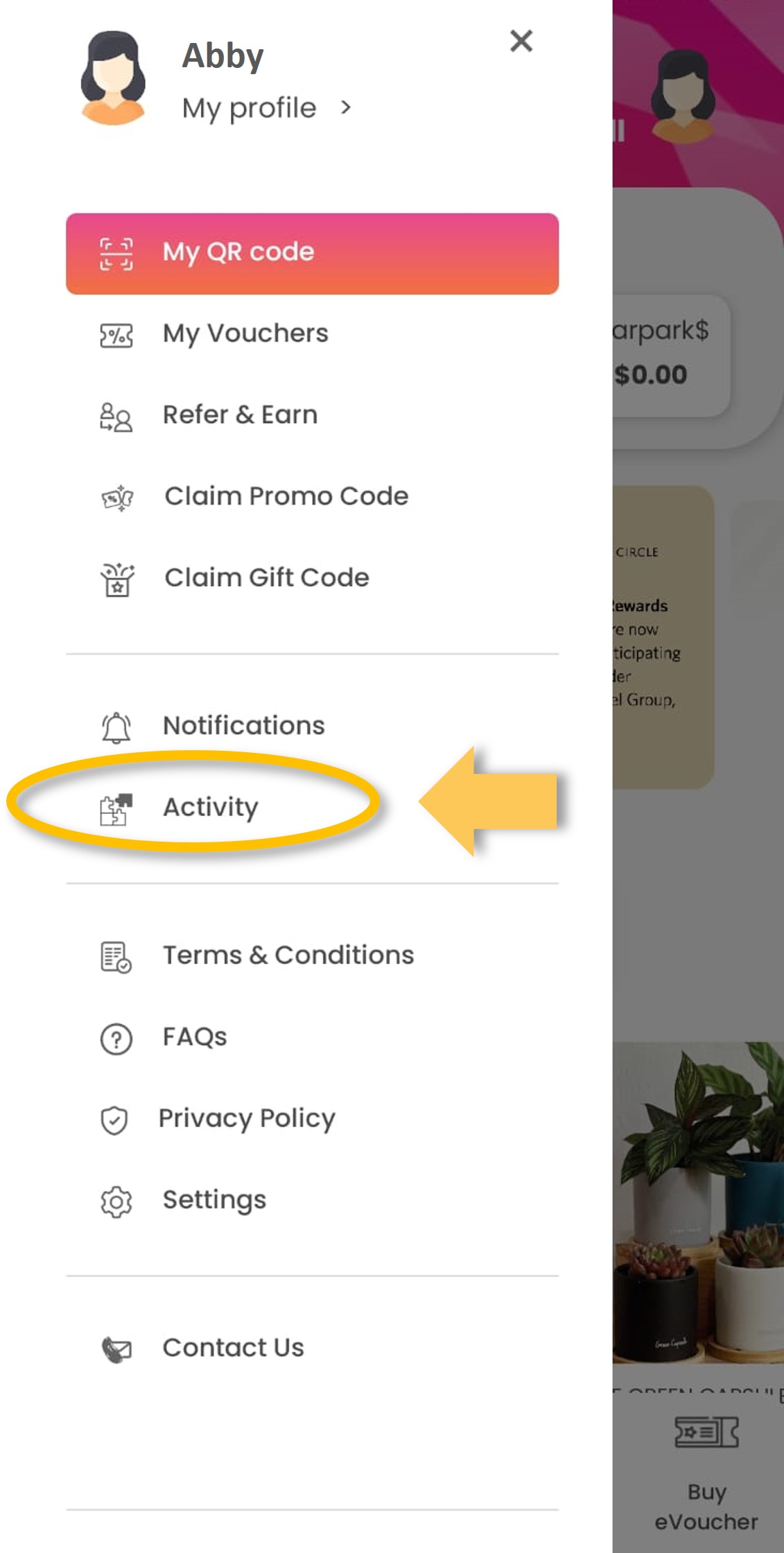
| Step 2: Tap on ‘Activity’.
|
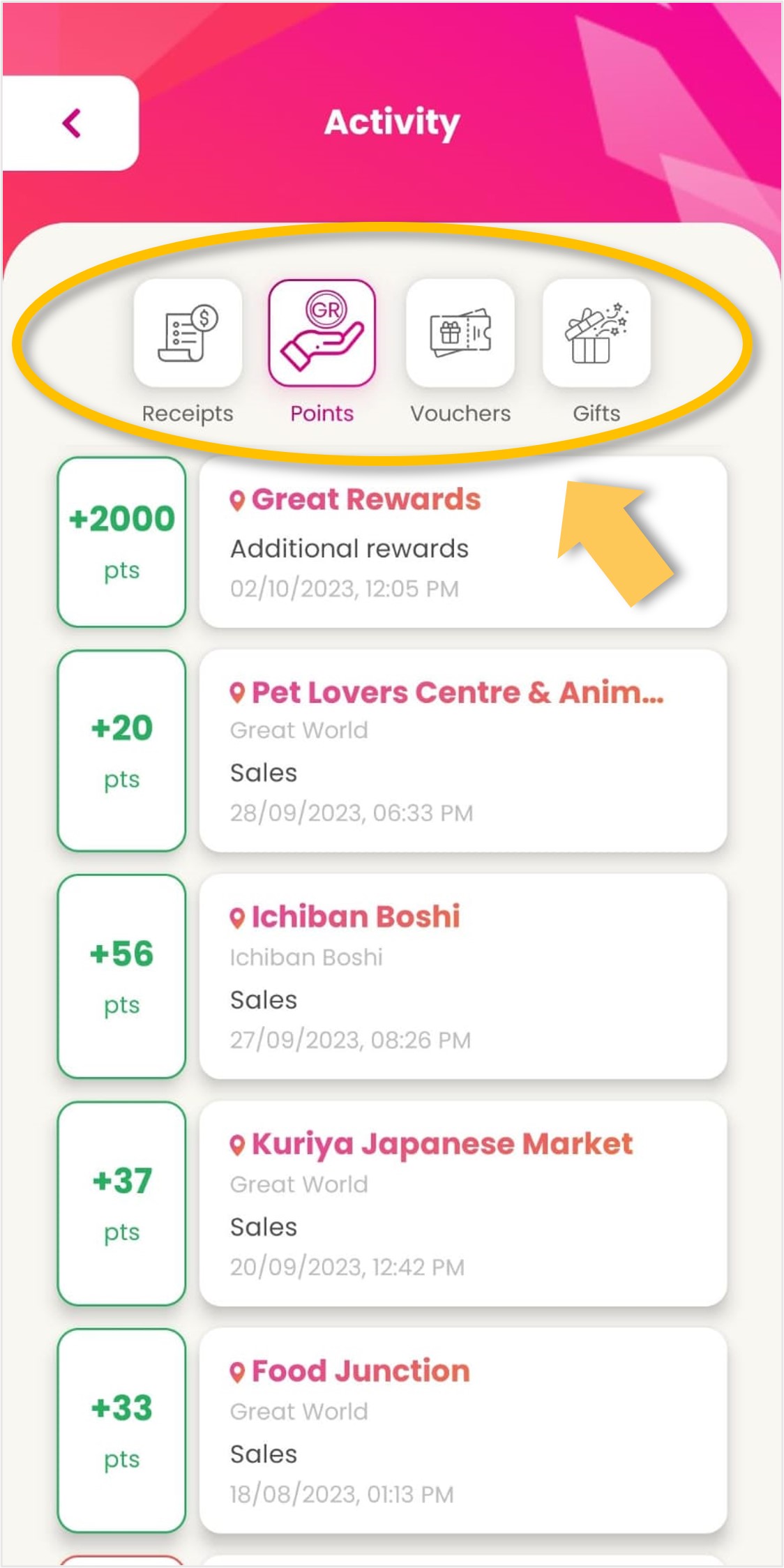
| Step 3: Locate your receipt status, points, vouchers and gift activities in the respective categories.
|
How to pay with points or e-Vouchers
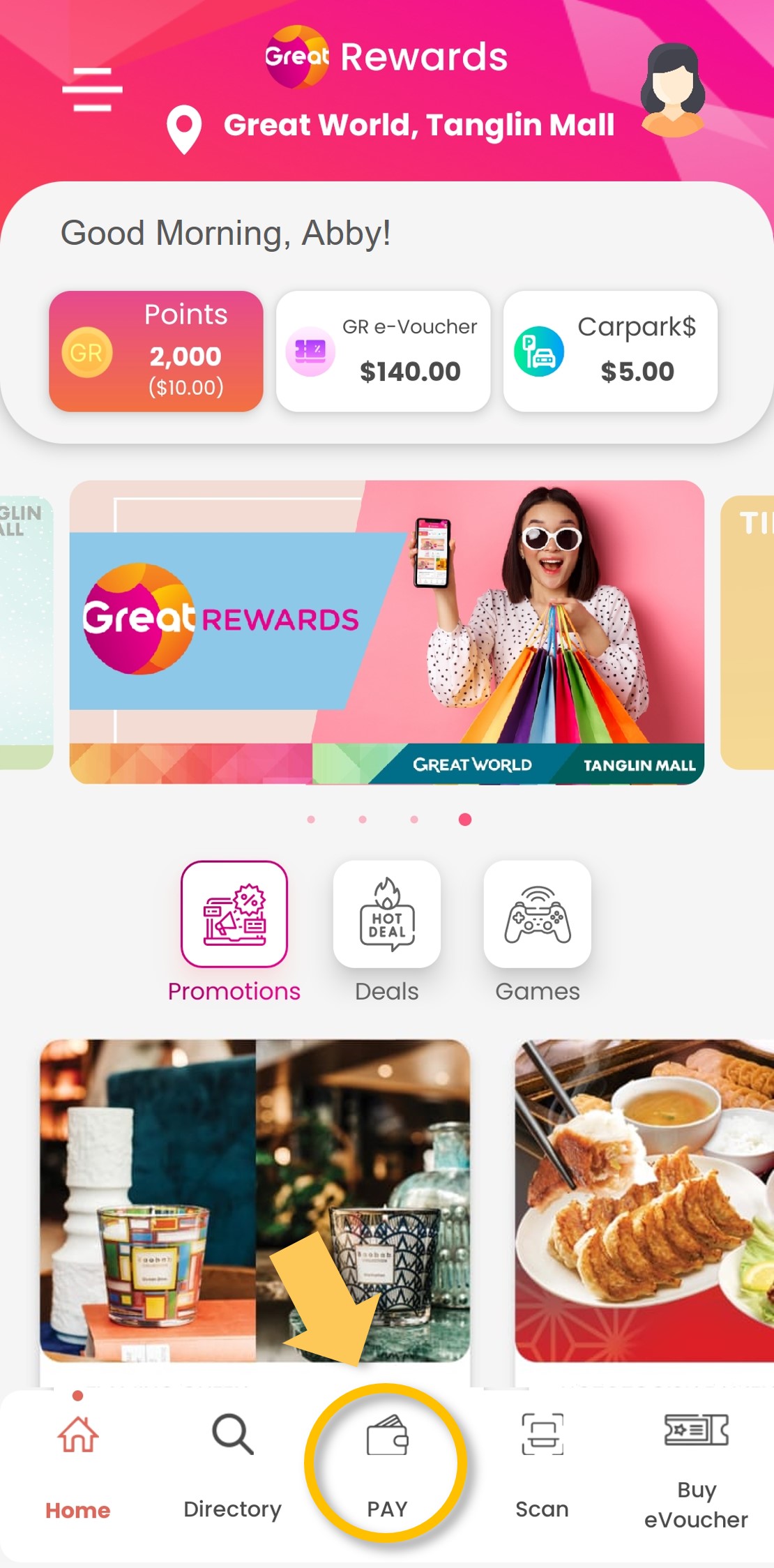
| Step 1: Tap on ‘Pay’.
|
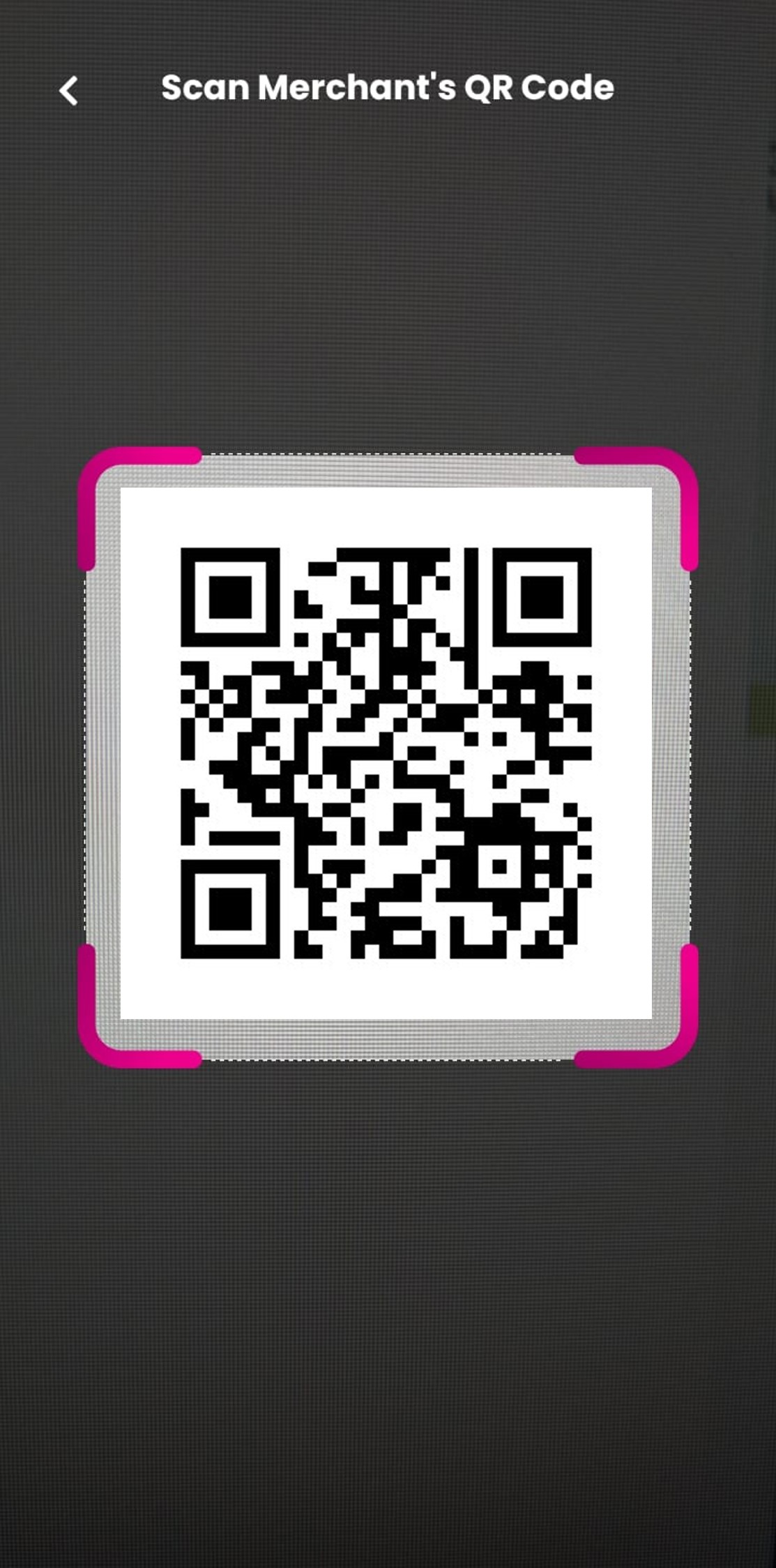
| Step 2: Scan merchant’s QR code from their terminal.
|
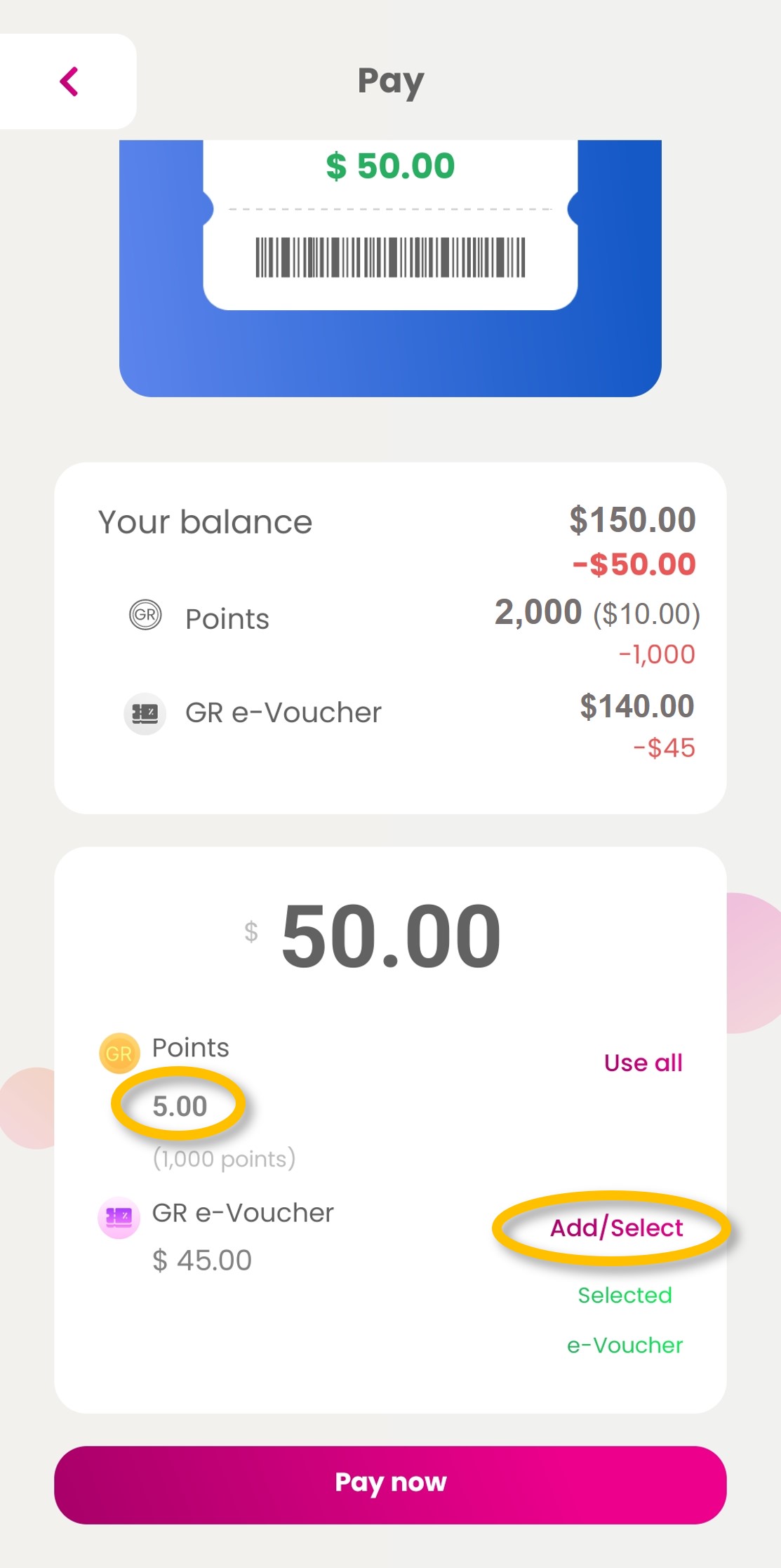
| Step 3: Input the value of points and/or select e-Vouchers you want to use and tap on ‘Pay now’.
|
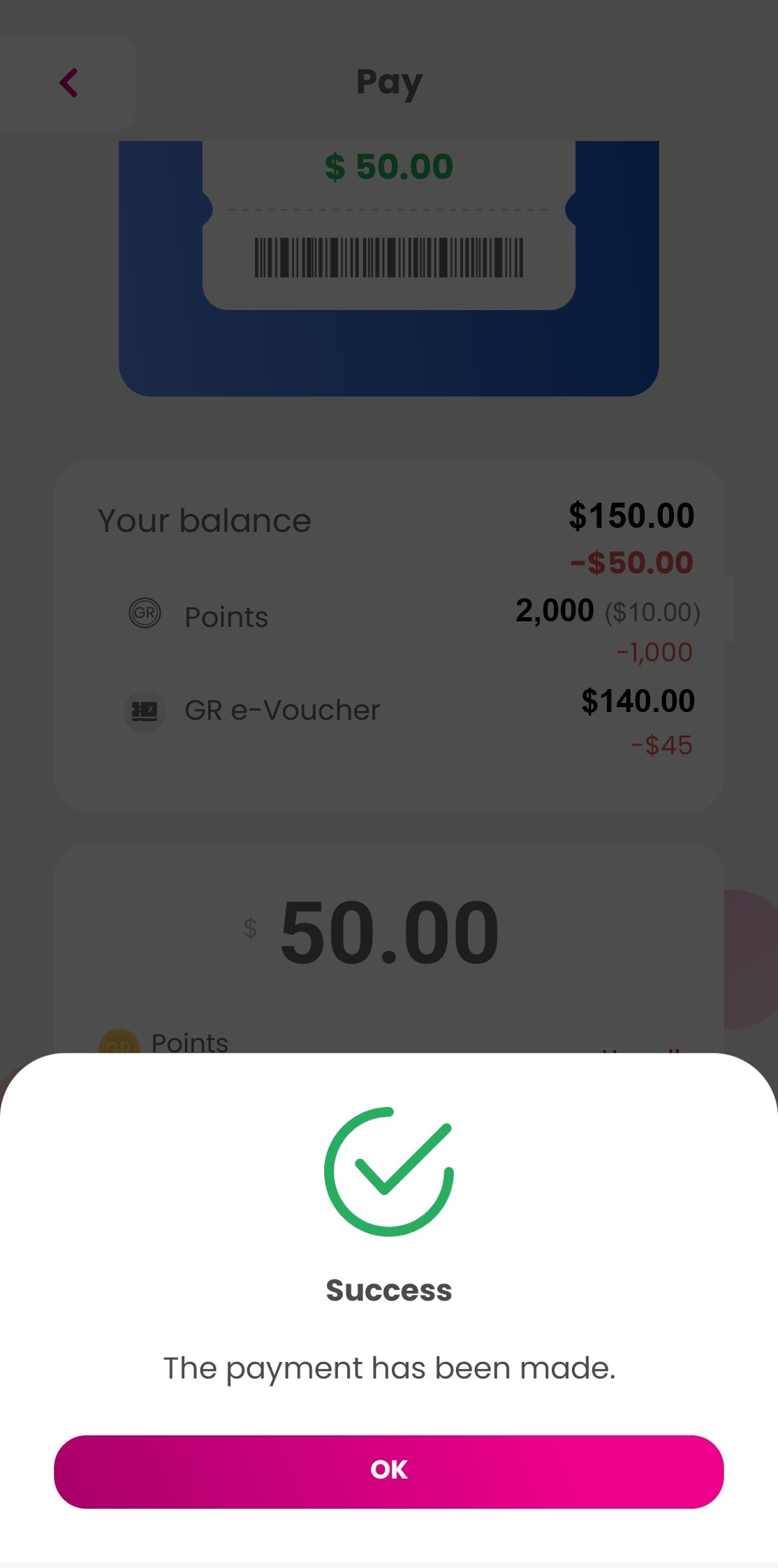
| Step 4: Payment is successfully made.
|
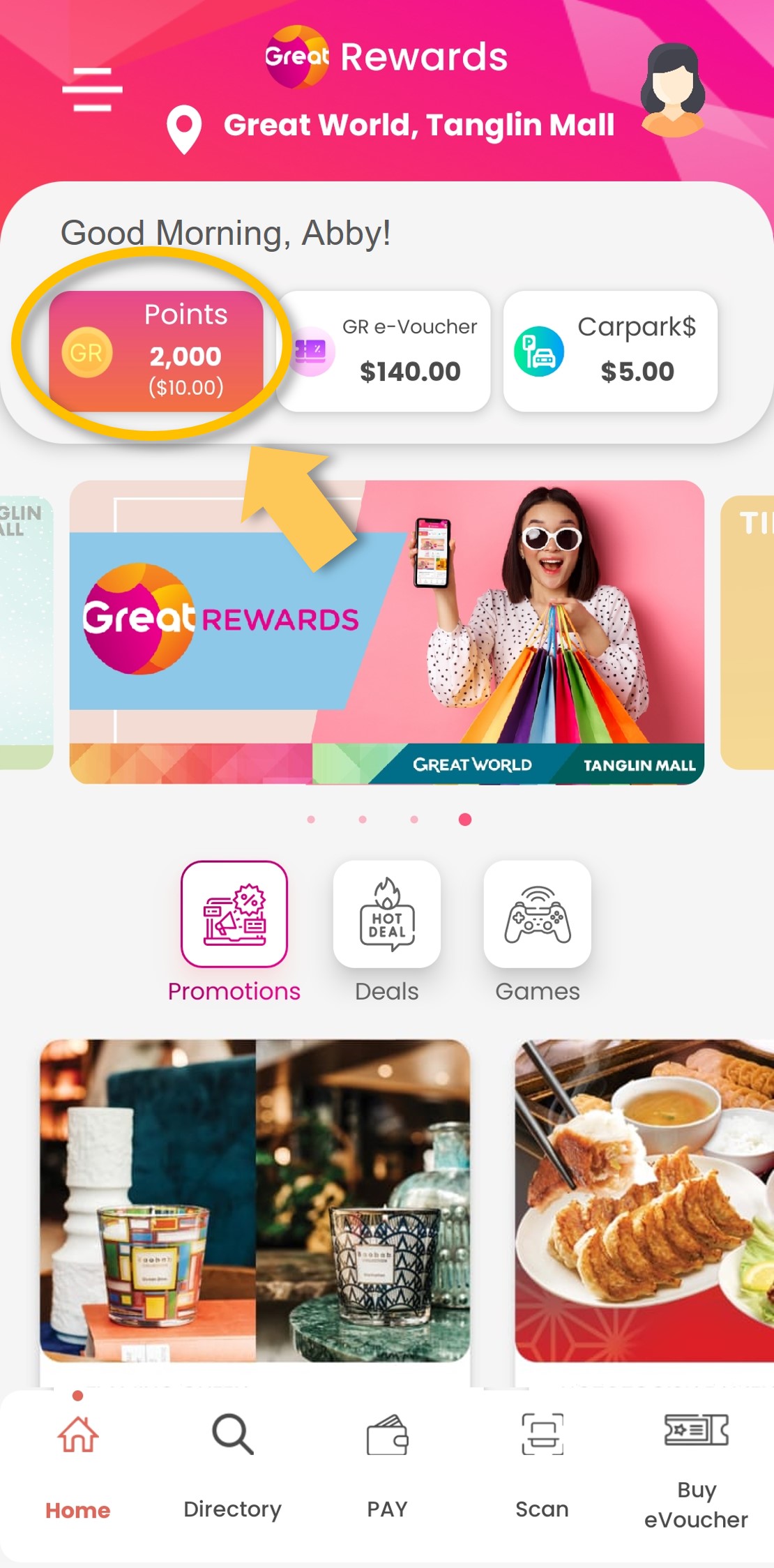
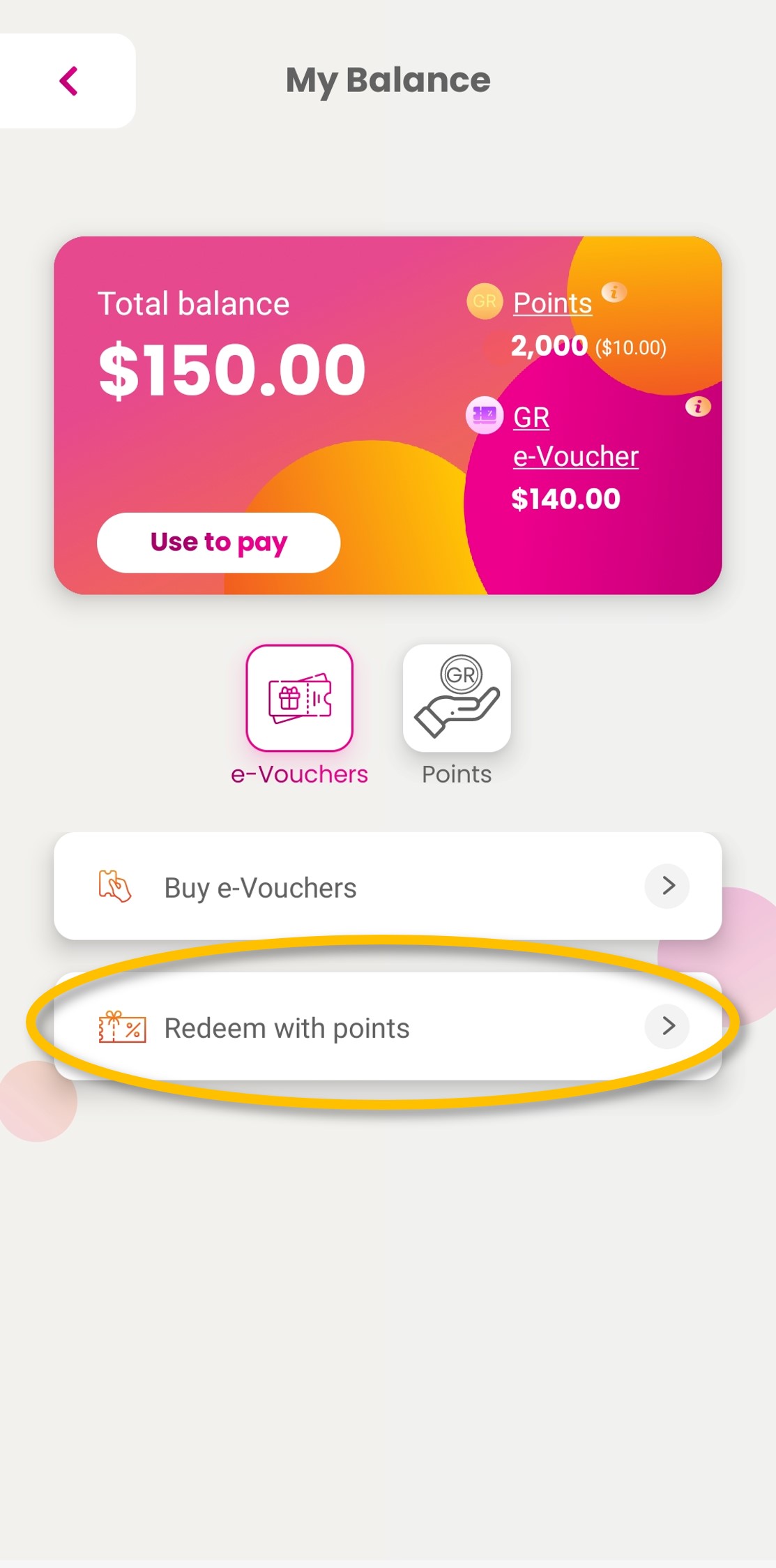
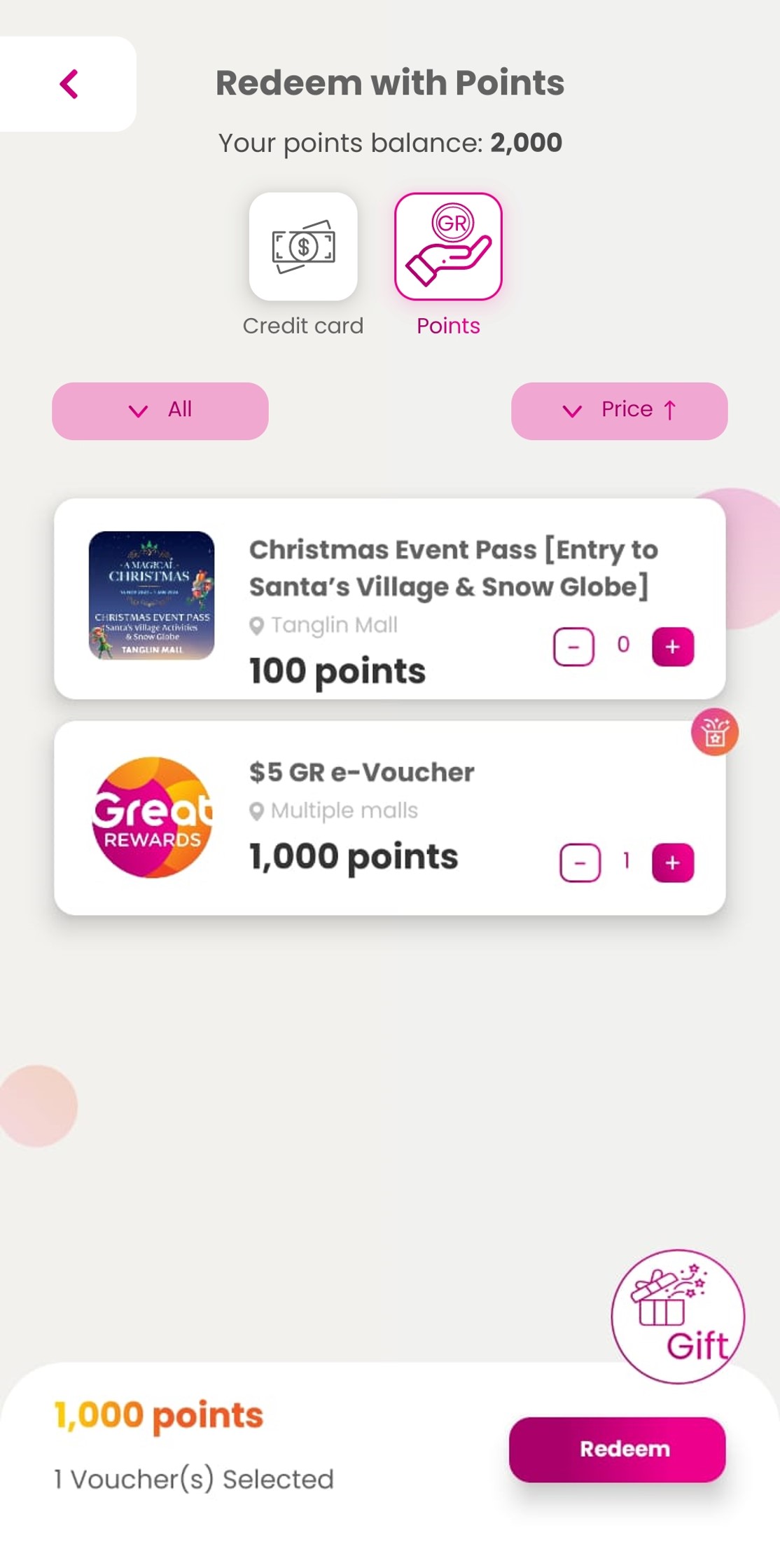
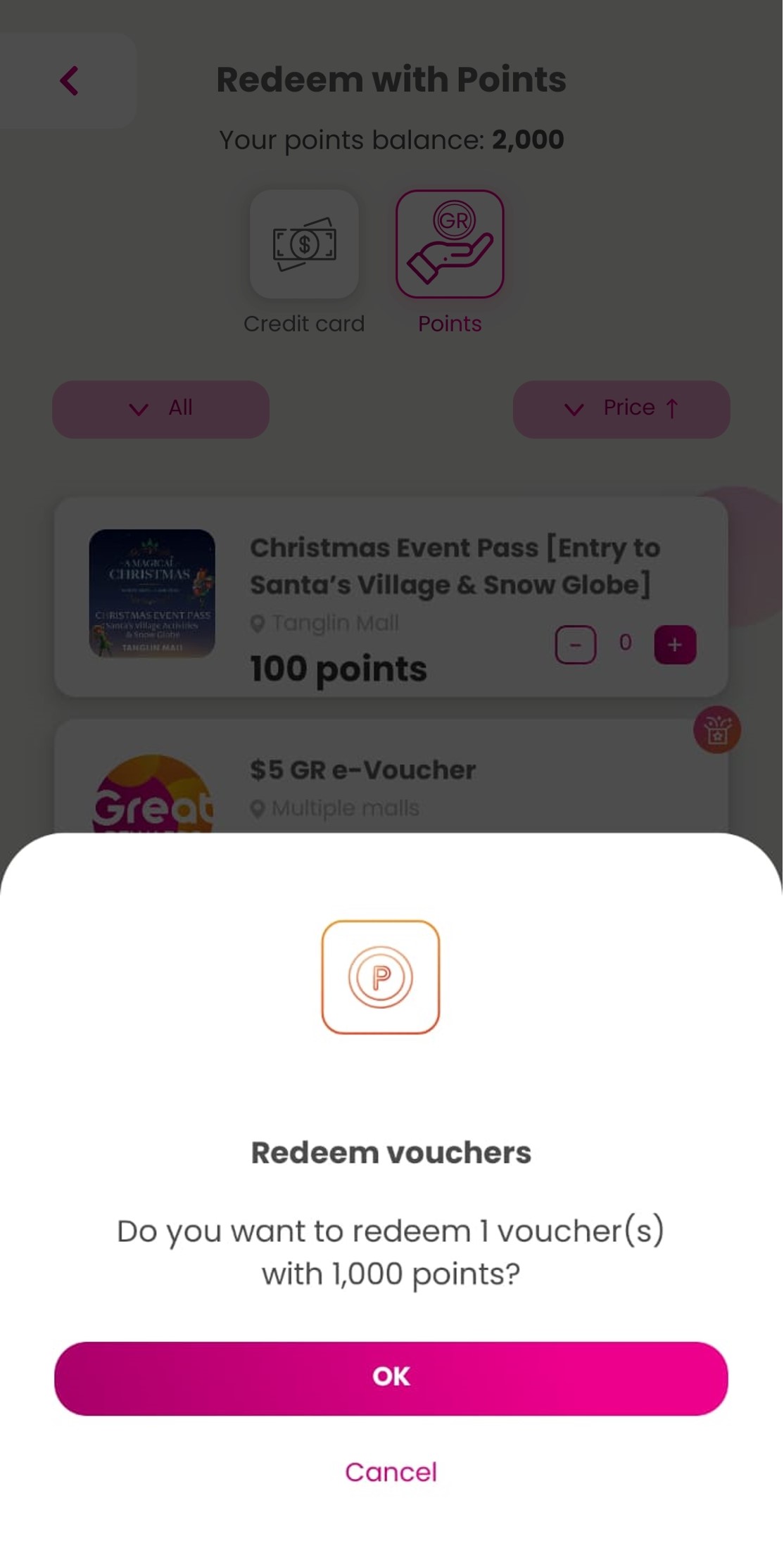
How to redeem deals/e-Vouchers with points
| Step 1: Tap on ‘Points’.
|
| Step 2: Select ‘Redeem with points’.
|
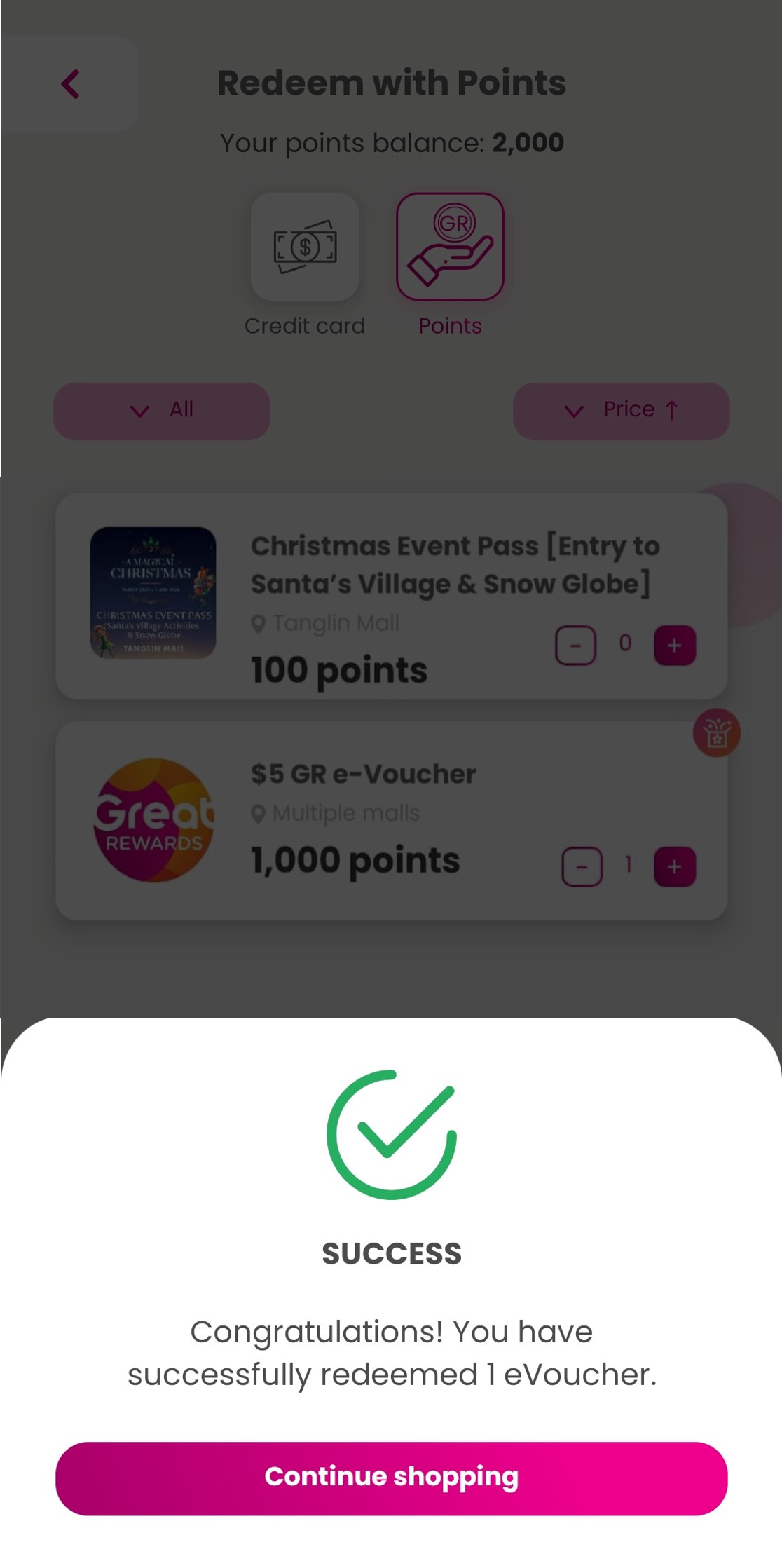
| Step 3: Select the deal or e-Vouchers you want and tap on ‘Redeem’.
|
| Step 4: Confirm the deal or e-Voucher selected and tap on ‘OK’.
|
| Step 5: Deal or e-Voucher is successfully redeemed.
|
How to purchase e-Vouchers
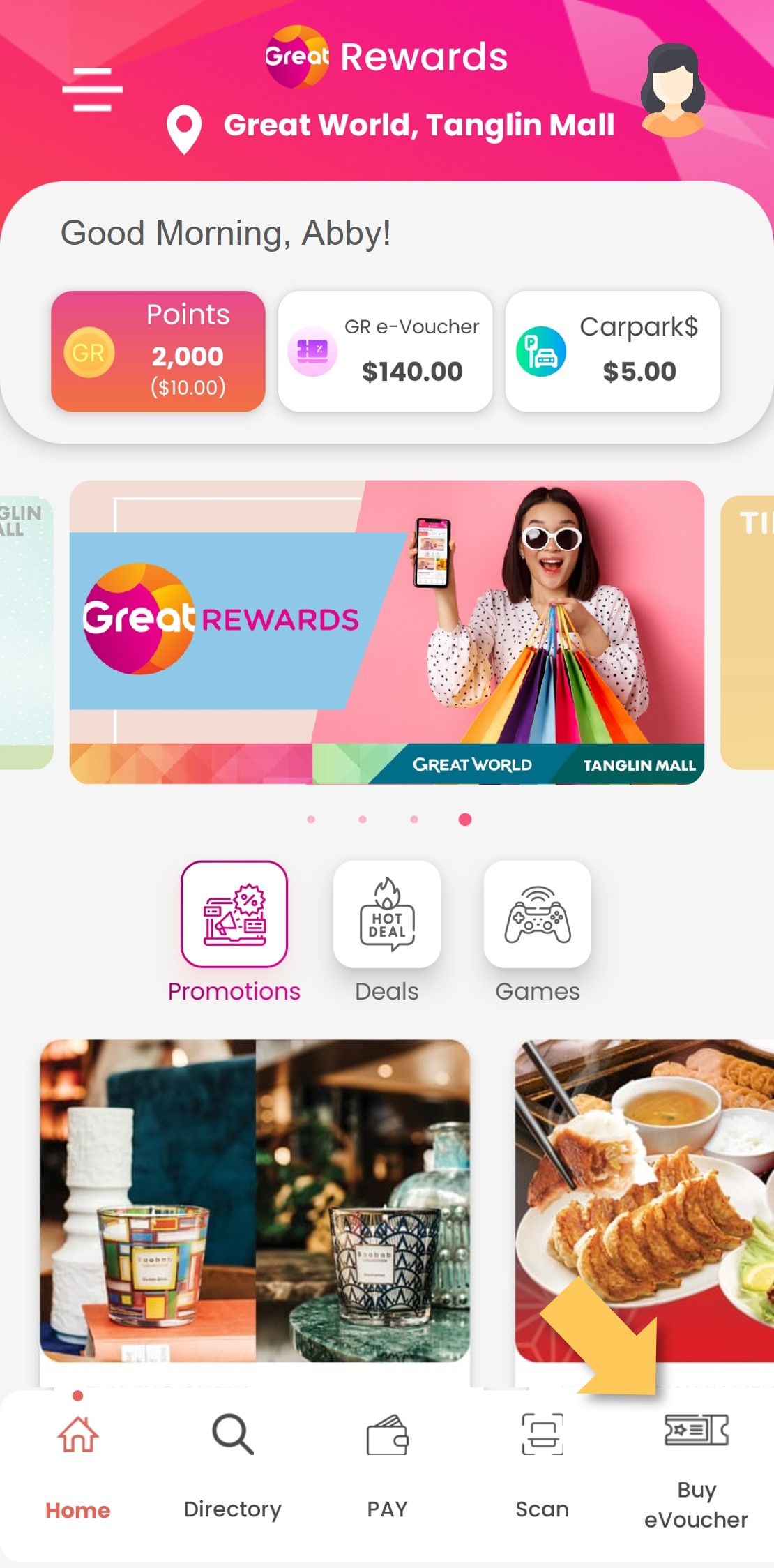
| Step 1: Tap on ‘Buy eVoucher’.
|
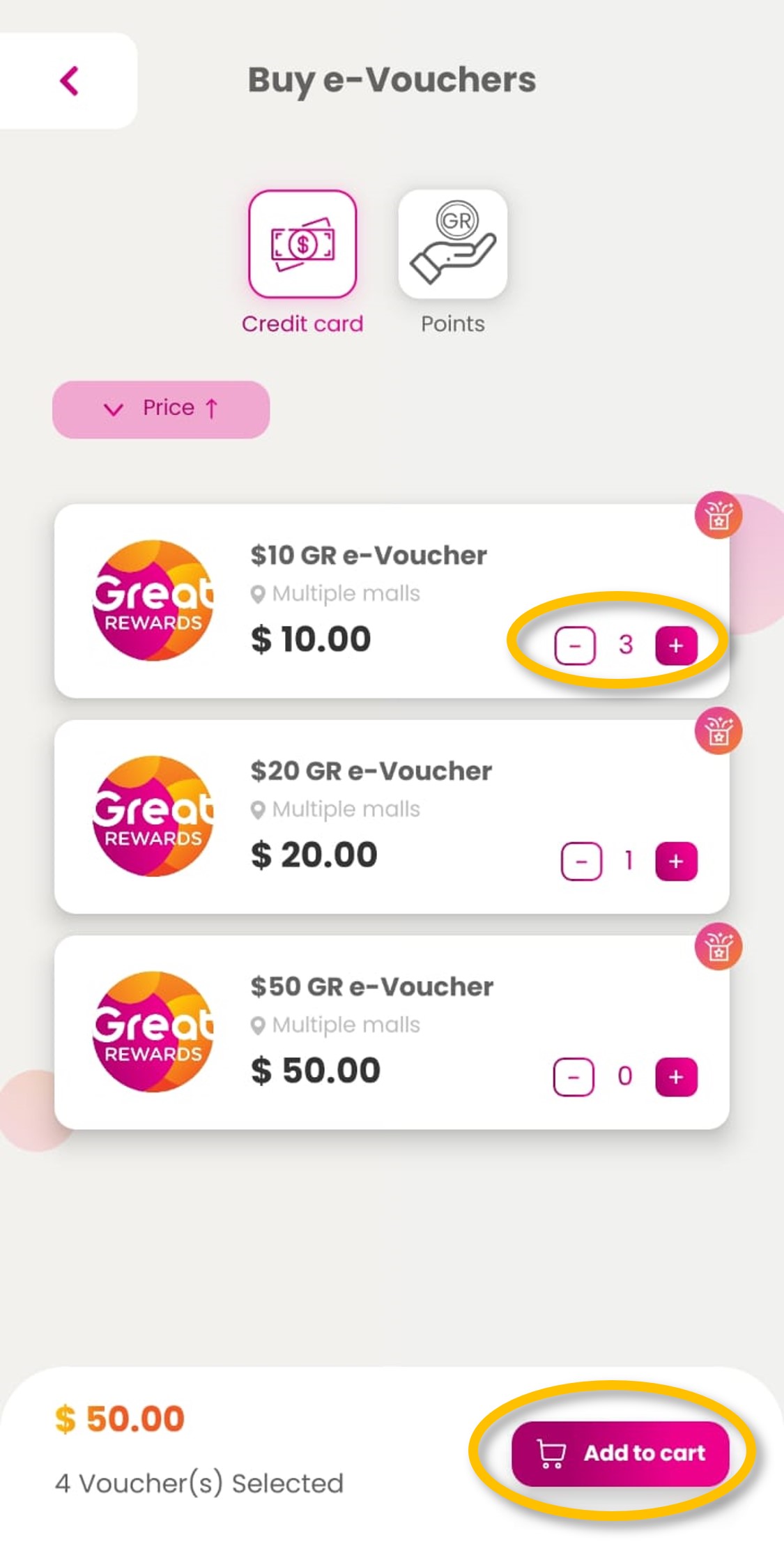
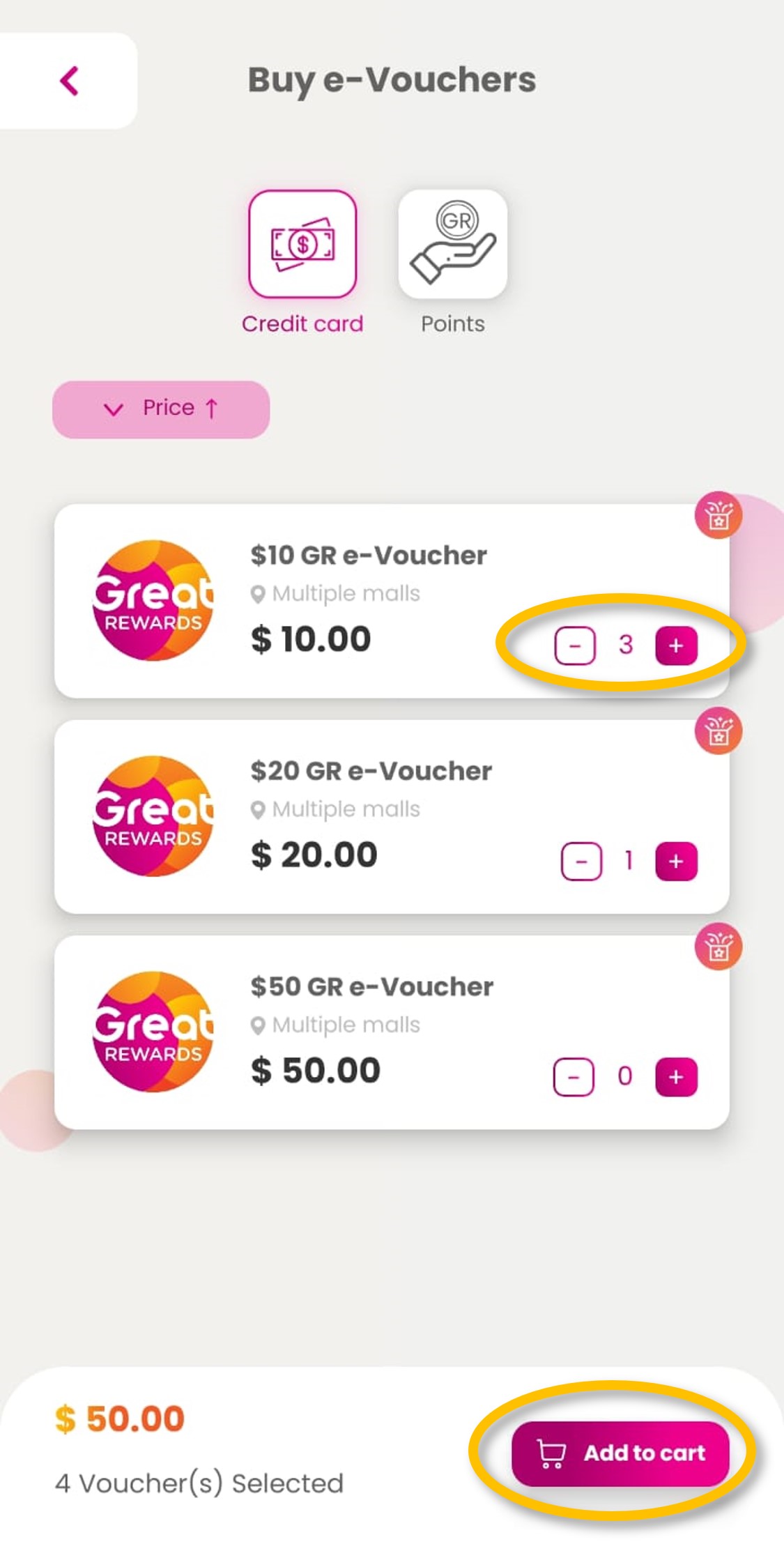
| Step 2: Select preferred denomination and quantity and click ‘Add to cart’.
|
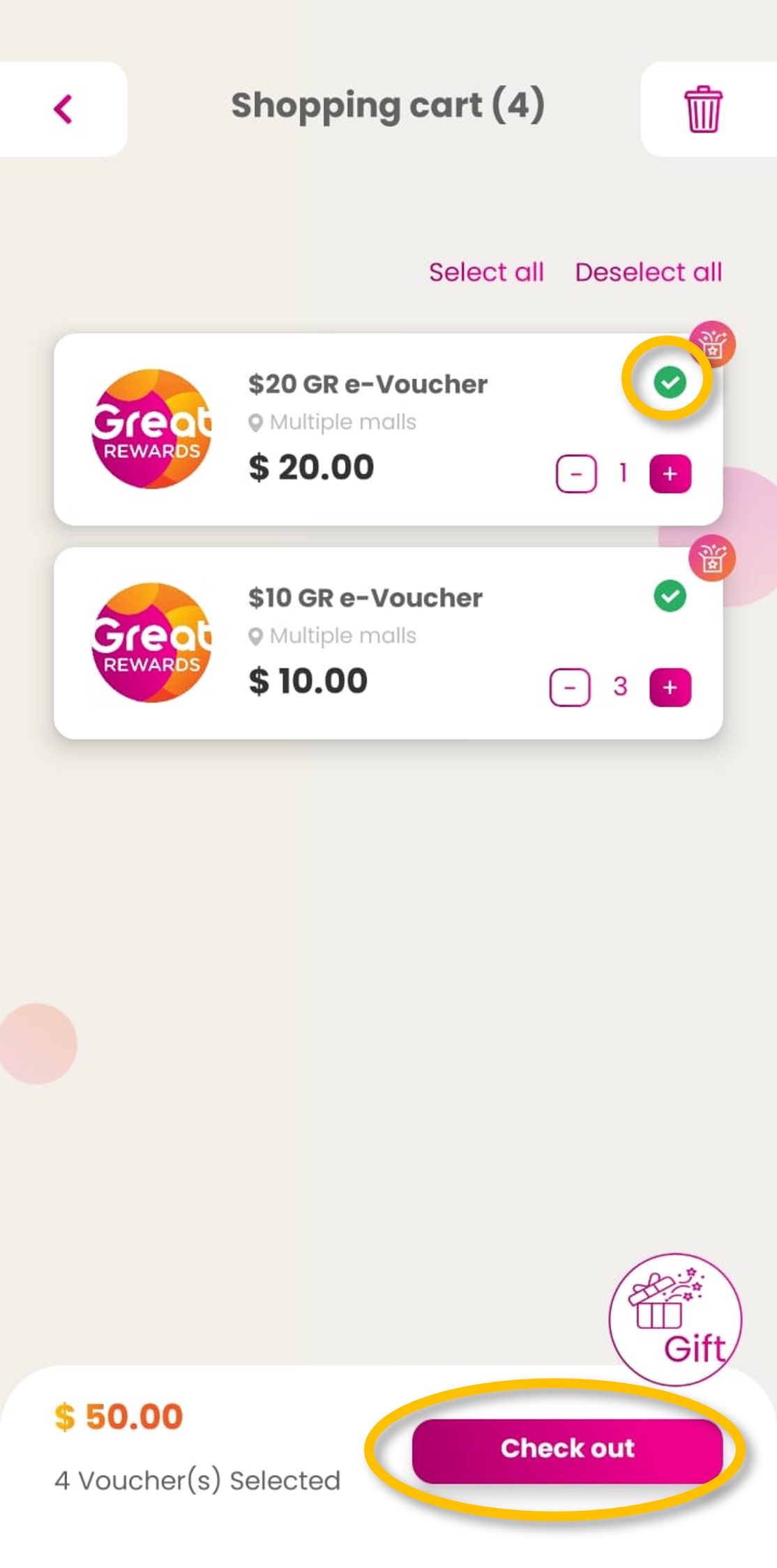
| Step 3: Select items and click ‘Check out’.
|
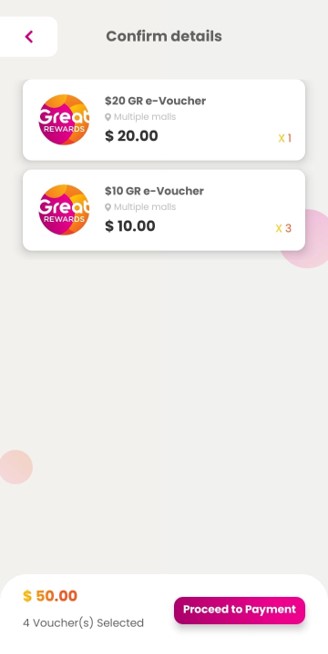
| Step 4: Confirm details and click ‘Proceed to Payment’.
|
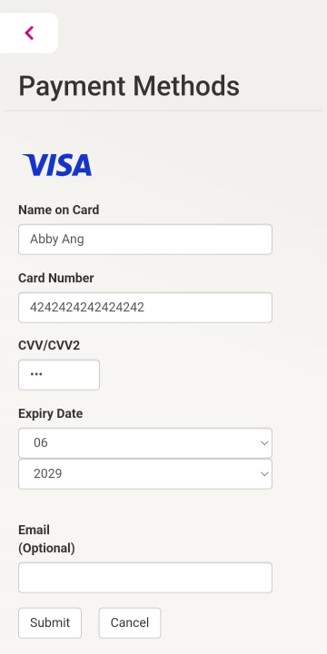
| Step 5: Put in payment details and click ‘Submit’.
|
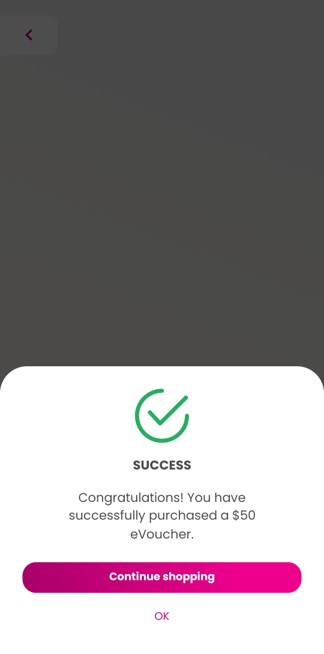
| Step 6: e-Vouchers have been credited to your account.
|
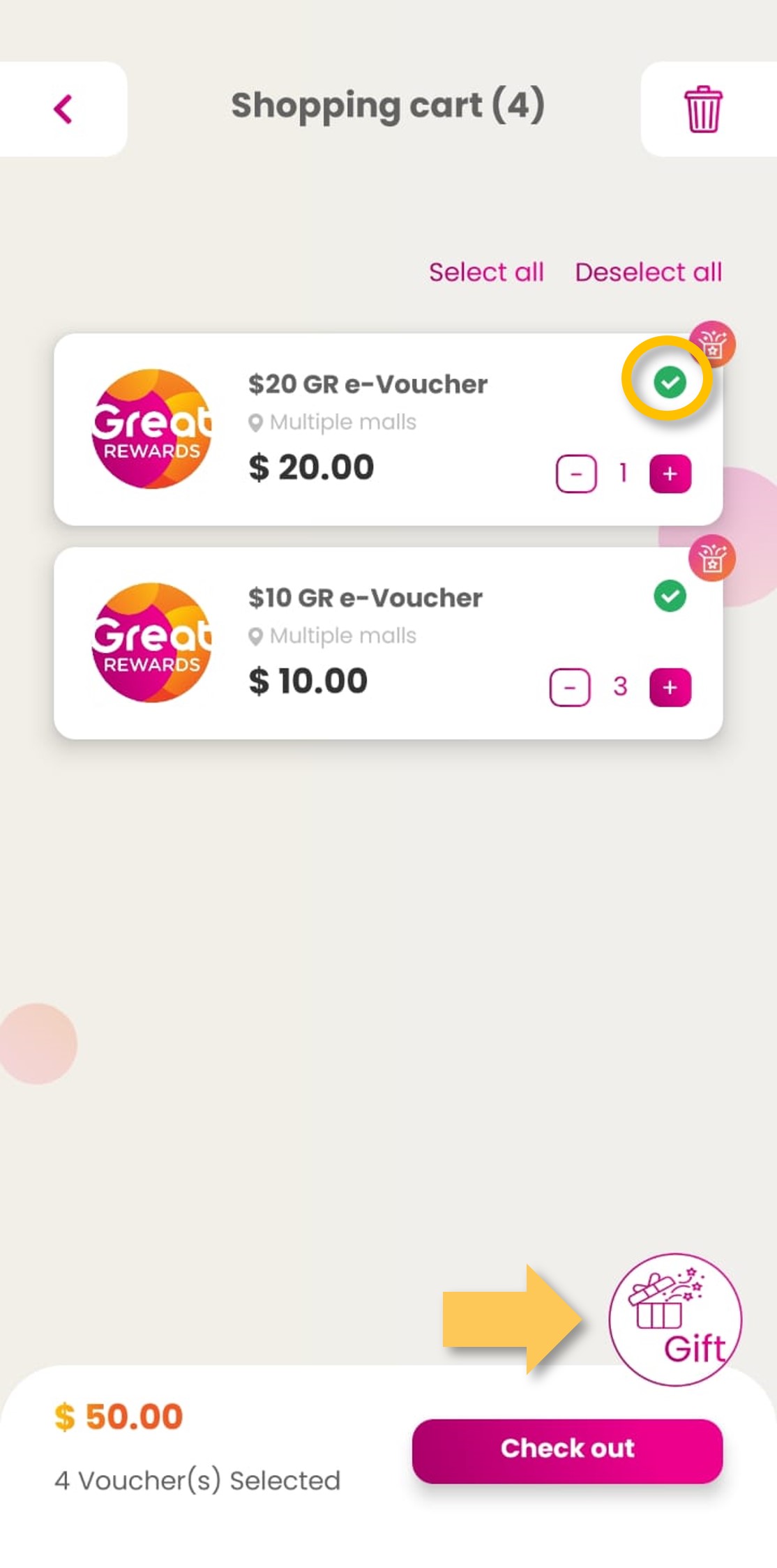
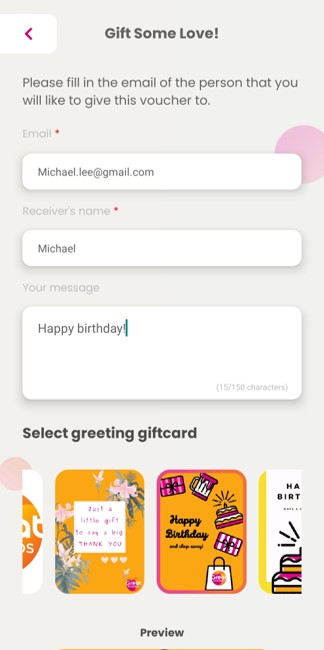
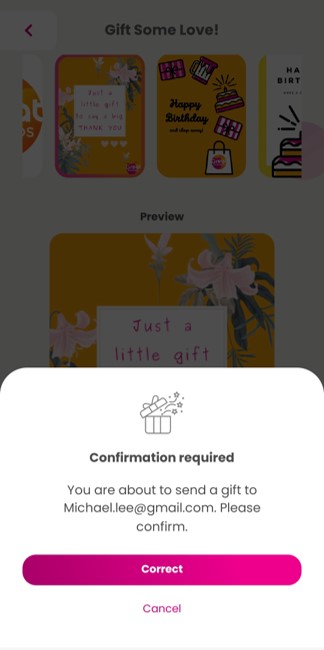
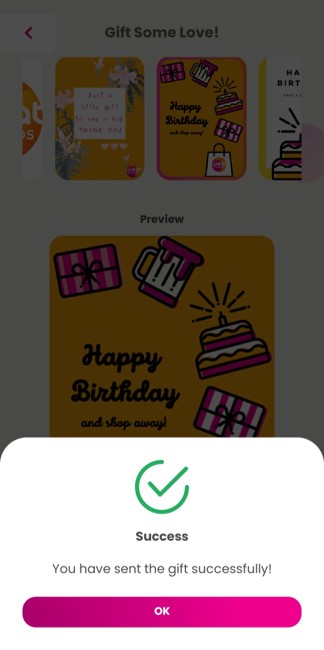
How to purchase and gift e-Vouchers
| Step 1: Tap on ‘Buy eVoucher’.
|
| Step 2: Select preferred denomination and quantity and click ‘Add to cart’.
|
| Step 3: Select items and click on ‘Gift’ icon.
|
| Step 4: Input receiver’s details and select giftcard image and click ‘Send Now’.
|
| Step 5: Tap on ‘Correct’ after confirming the email address.
|
| Step 6: Gift is successfully sent to the receiver.
|
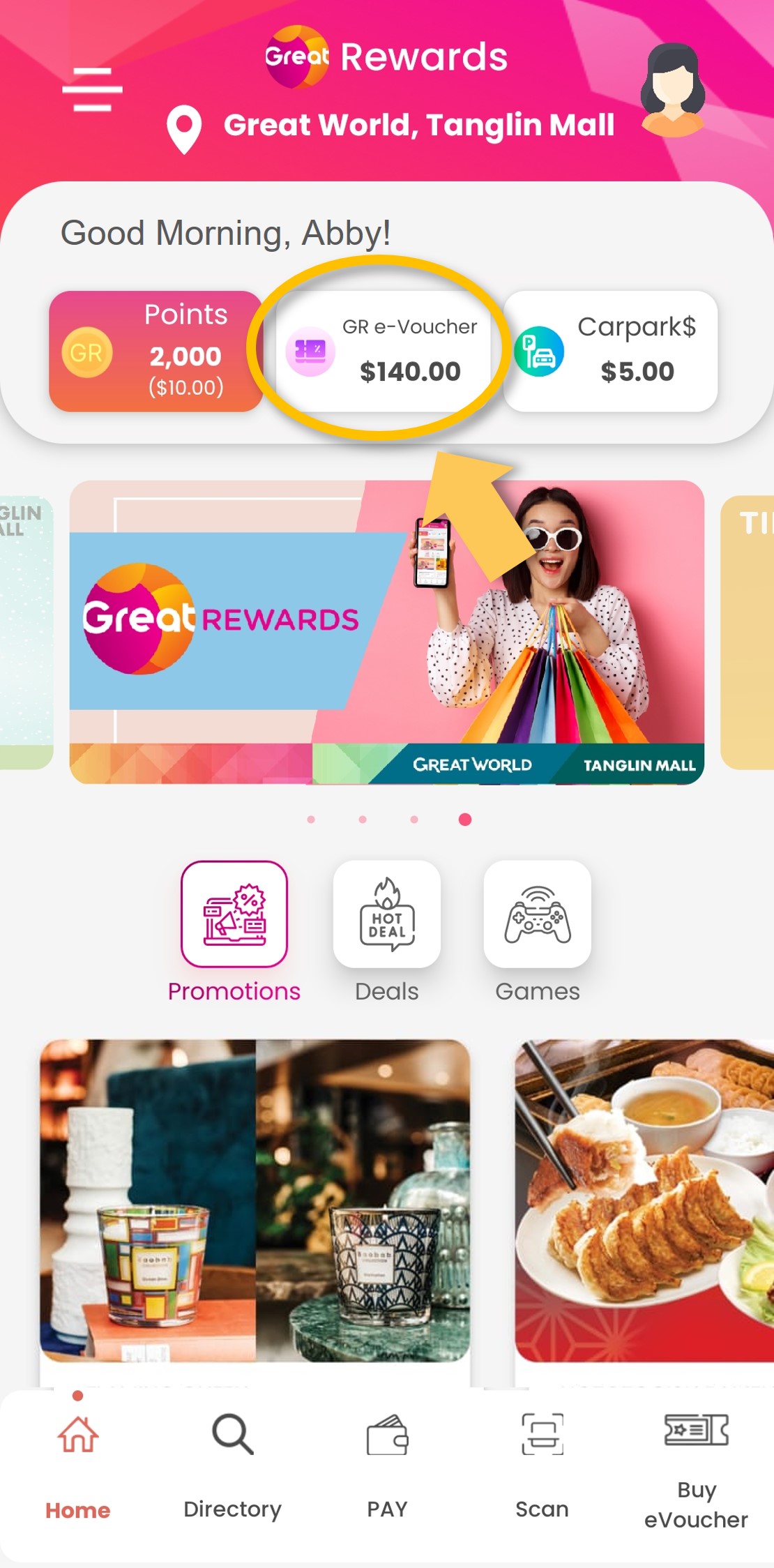
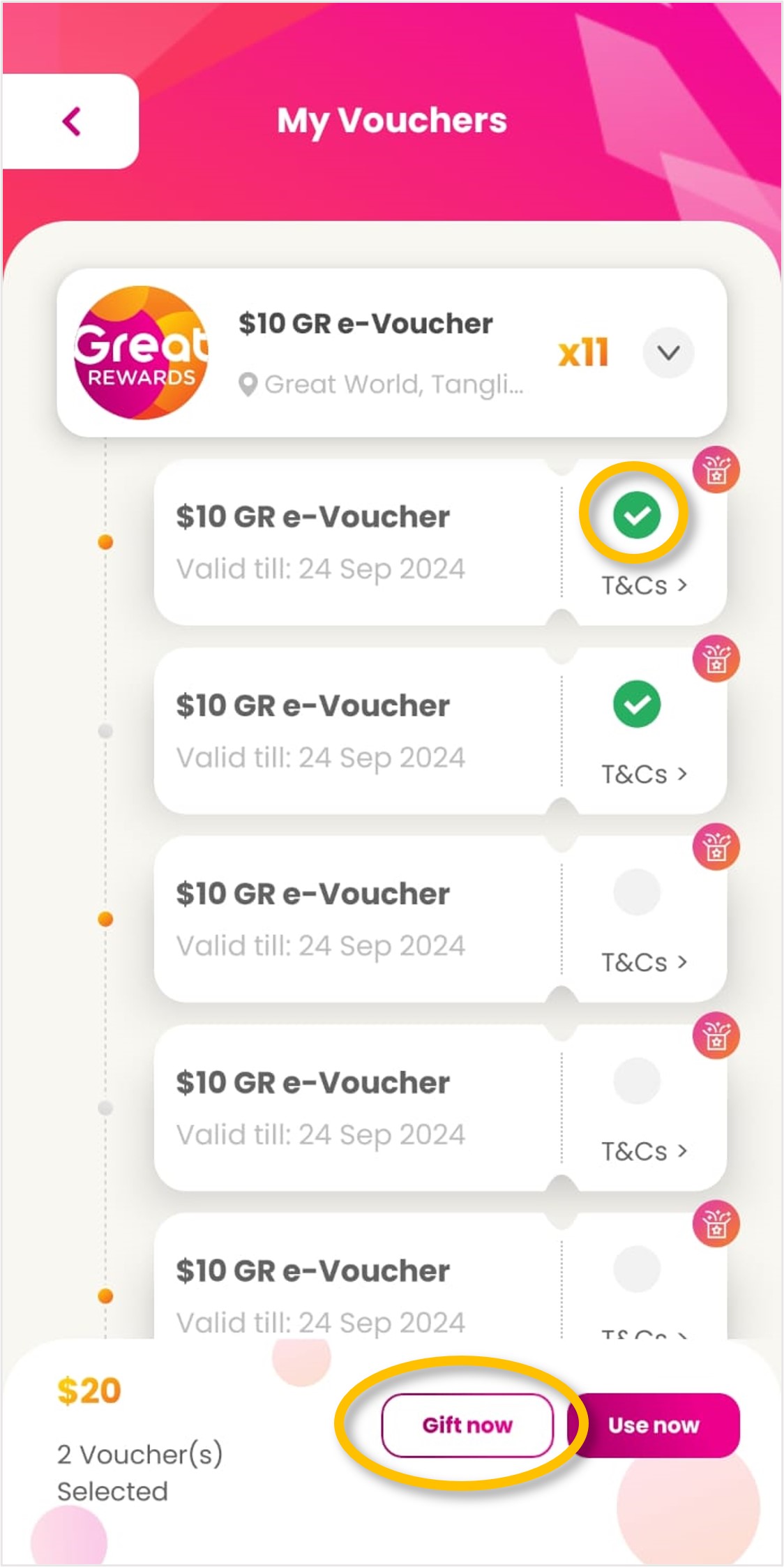
How to gift e-Vouchers from your existing e-Vouchers
| Step 1: Tap on ‘GR e-Voucher’.
|
| Step 2: Select e-Voucher to gift and click on ‘Gift now’.
|
| Step 3: Input receiver’s details and select giftcard image and click ‘Send Now’.
|
| Step 4: Tap on ‘Correct’ after confirming the email address.
|
| Step 5: Gift is successfully sent to the receiver.
|
How to add vehicle IU
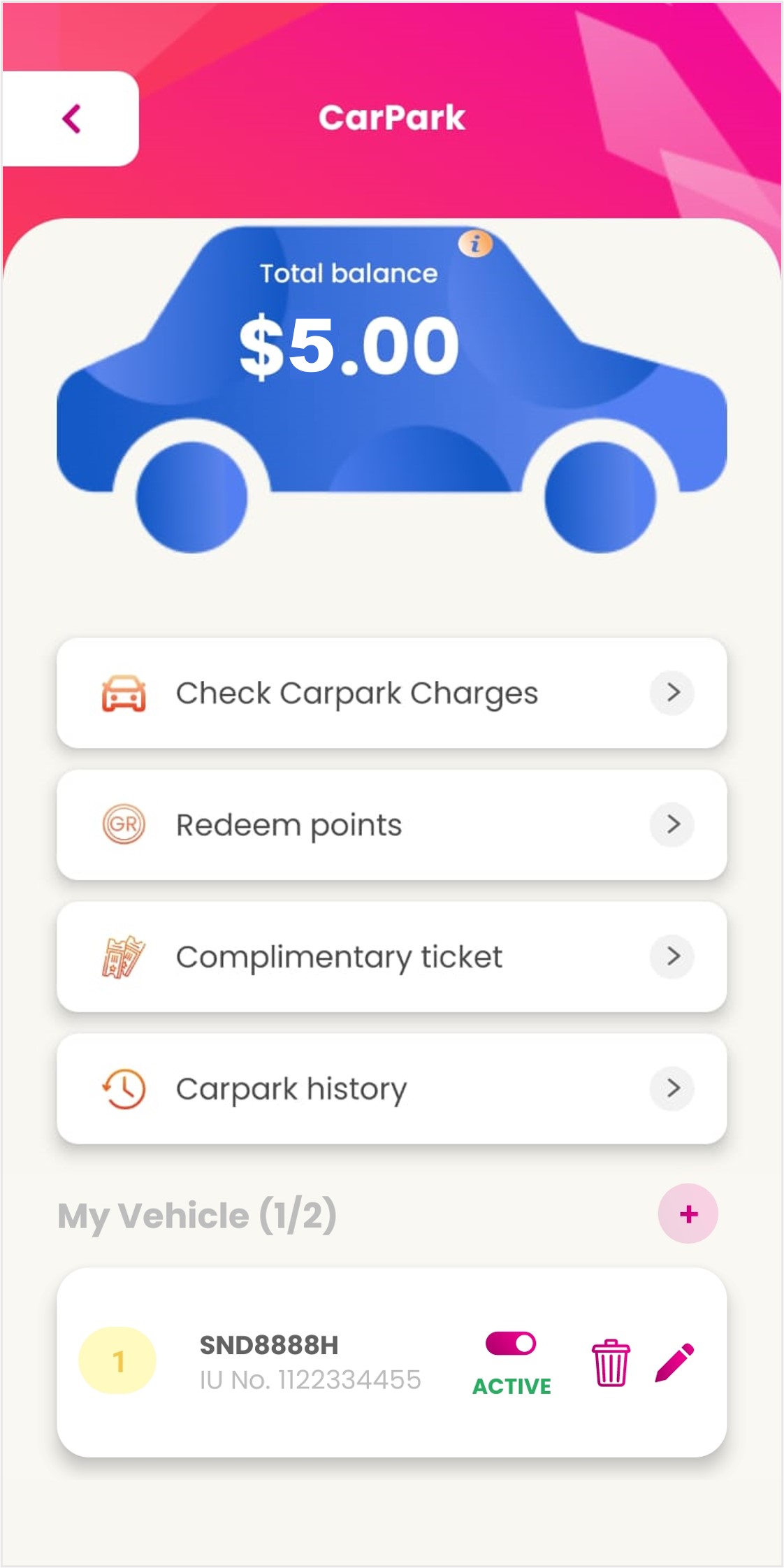
Step 1: Tap on ‘Carpark$’.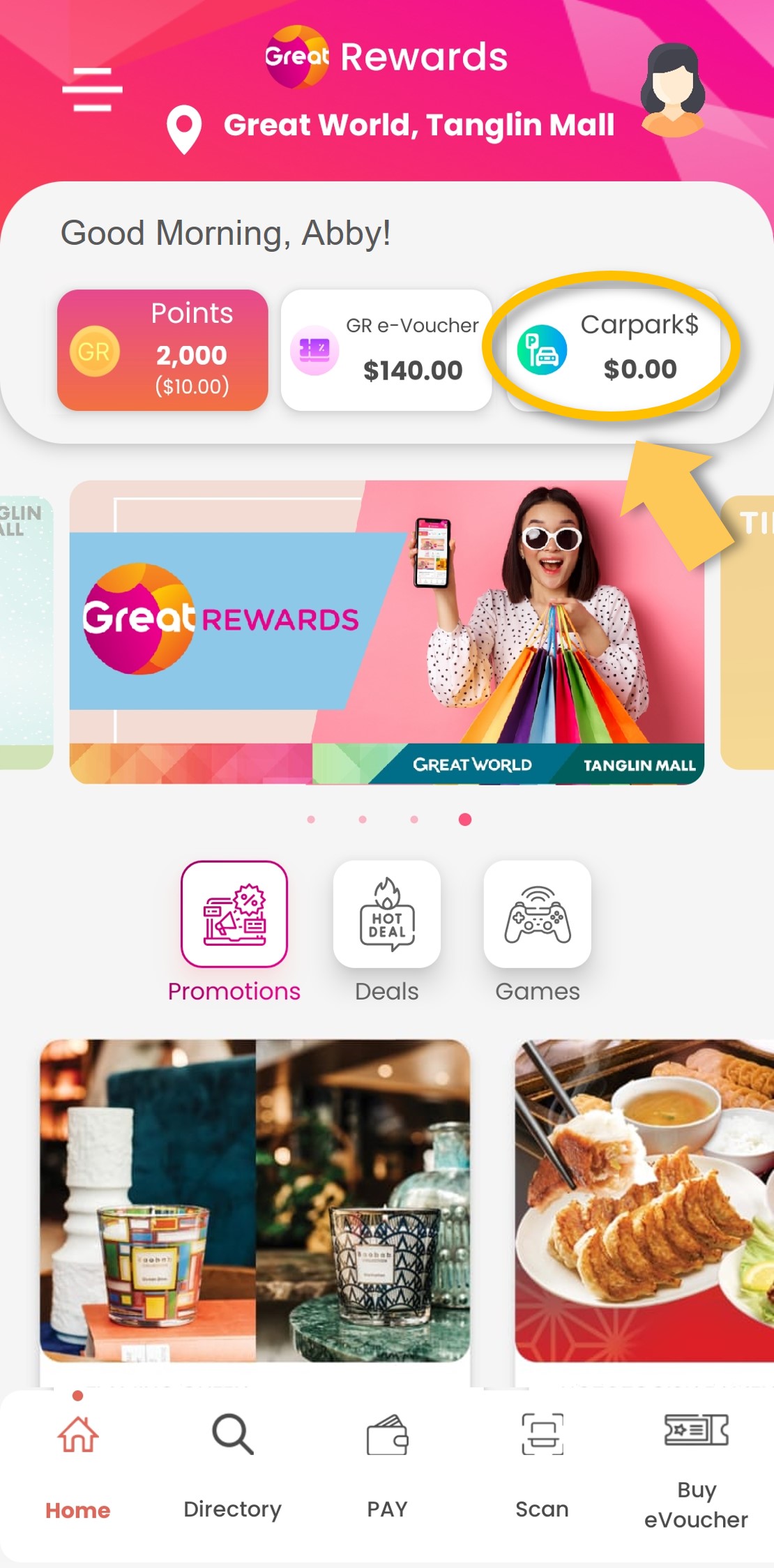 |
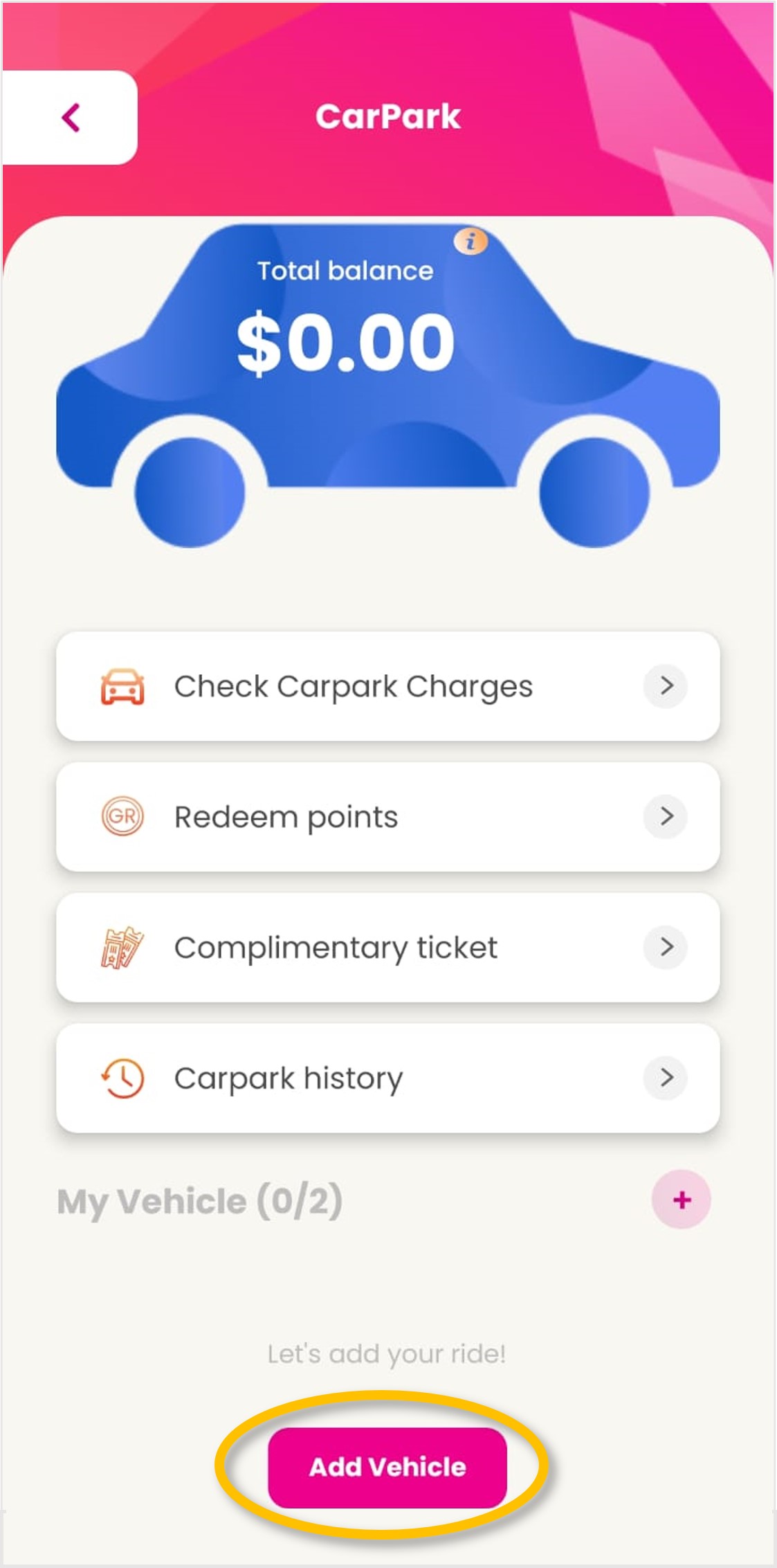
| Step 2: Tap on ‘Add Vehicle’.
|
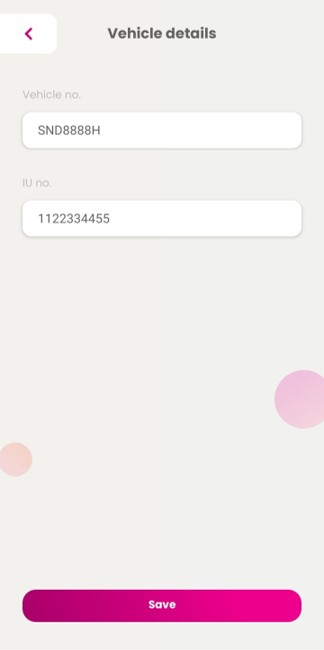
| Step 3: Input vehicle details and tap on ‘Save’.
|
How to redeem Carpark$
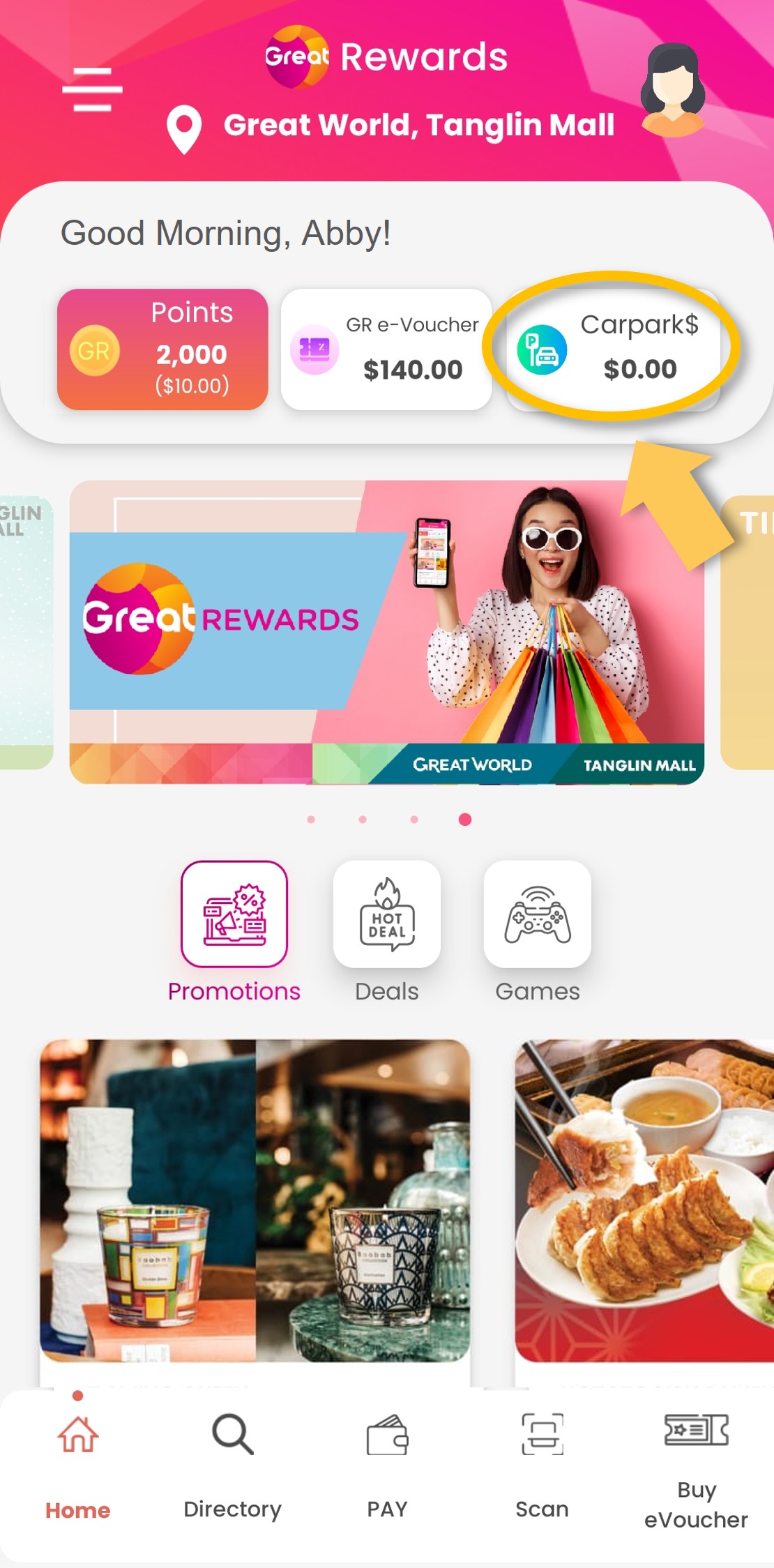
| Step 1: Tap on ‘Carpark$’.
|
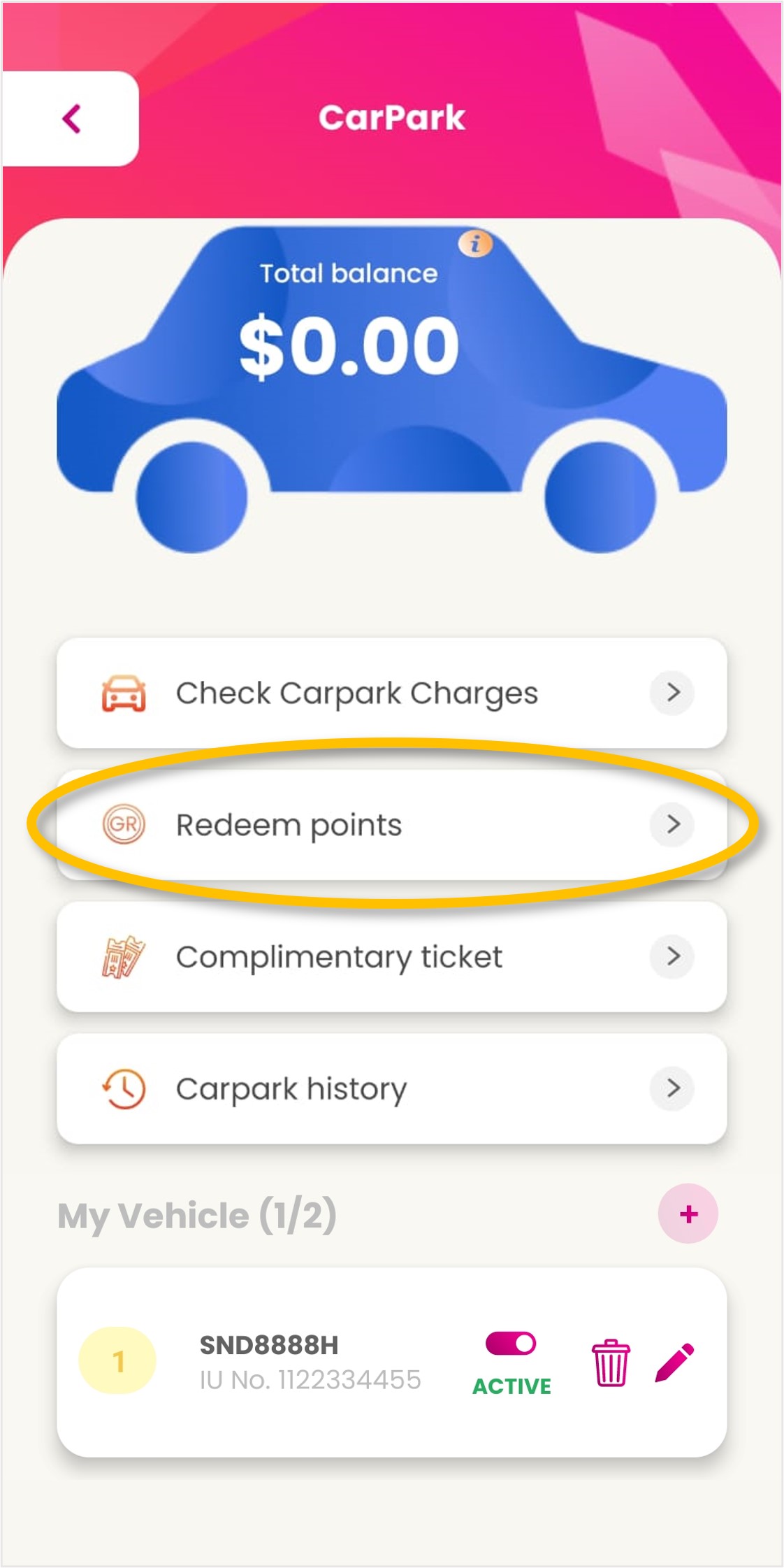
| Step 2: Tap on ‘Redeem points’.
|
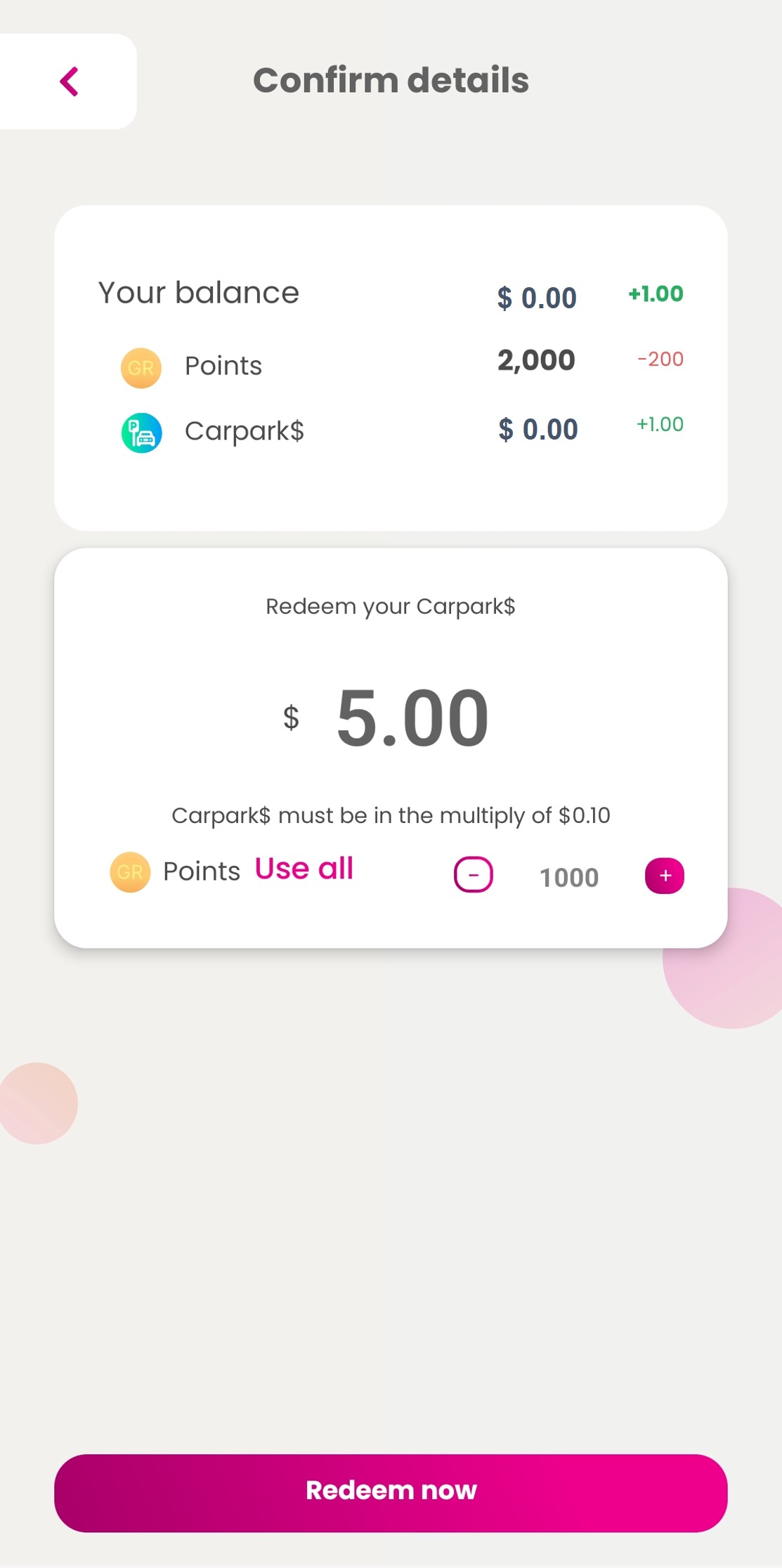
| Step 3: Enter Carpark$ amount you want to redeem and tap on ‘Redeem now’.
|
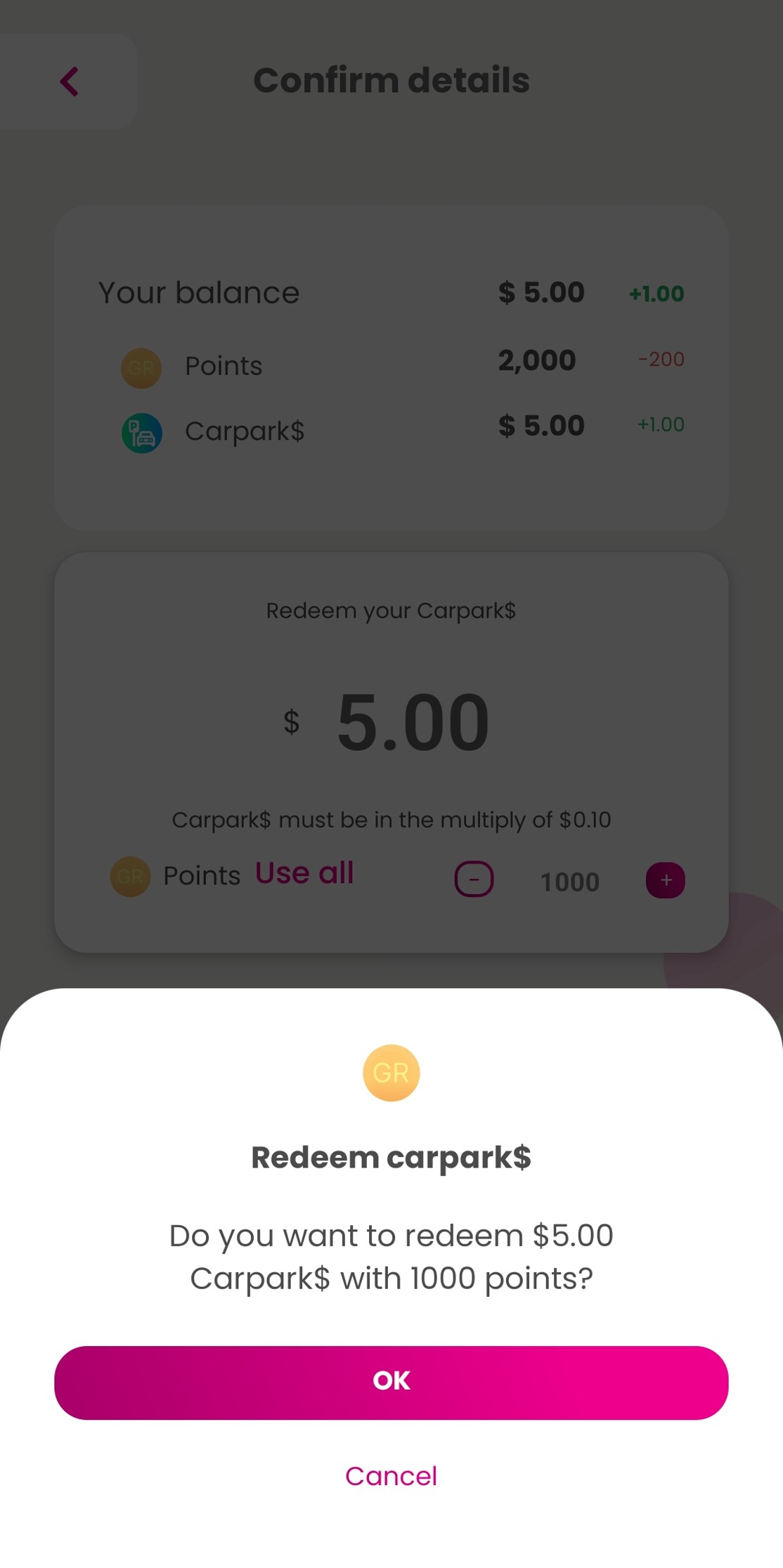
| Step 4: Confirm amount and tap on ‘OK’.
|
How to use Carpark$
|
Redemption of Carpark$ must be done at least 15 minutes. prior to exit. Ensure sufficient cash in your CashCard for any balance payment.
|
Download Great Rewards

